|
|
|
|
|
|
Closing the Loop Between Composite Design and Analysis
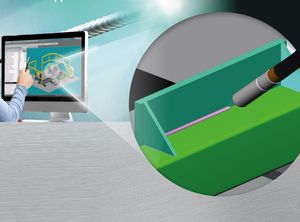
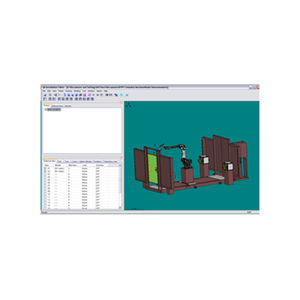
Together with the FiberSIM Composite Engineering Environment (CEE) or FiberSIM Advanced Composite Engineering Environment (ACEE), FiberSIM Analysis Interface enables engineers to design a composite part in their existing CAD system, perform producibility simulation, and then use the complete definition of the part in its to-be-manufactured form as input into a finite element analysis (FEA) package. The analyst can then run the analysis using the ply definitions and fiber orientations from the final part design, as opposed to an idealized design that may in fact be impossible to manufacture, resulting in a more accurate assessment of the part.
FiberSIM Analysis Interface provides exact fiber orientations to generate laminate properties for improved structural analysis by popular FEA software. An interface to flow modeling software for Resin Transfer Molding is also available.
The FiberSIM Analysis Interface enables engineers to:
Accurately verify part performance;
Provide detailed analysis properties from CAD models;
Work with multiple material and process simulation models.
|
|
|
|
|
|
From CAD to mesh generation for analysis, ANSYS ICEM CFD provides sophisticated geometry acquisition, mesh generation, mesh editing, a wide variety of solver outputs and post-processing. ANSYS ICEM CFD is the only Universal pre-processor for analysis including FEA, CFD and other CAE applications such as particle transport and computational electro-magnetics. Used for engineering applications such as computational fluid dynamics and structural analysis, ANSYS ICEM CFD's mesh generation tools offer the capability to parametrically create grids from geometry in multi-block structured, unstructured hexahedral, tetrahedral, hybrid grids consisting of hexahedral, tetrahedral, pyramidal and prismatic cells; and Cartesian grid formats combined with boundary conditions. ANSYS ICEM CFD is the swiss army knife of meshing, our product vision is to provide a variety of flexible tools that can generate "any" type of mesh on "any" type of geometry for "any" solver or "any" application.
Key Features:
Intuitive built-in geometry creation and highly automated functionality for the modification and repair of imported CAD data.
Ability to work with both NURBs and faceted geometry types like STL or existing meshes.
Robust tools for creating all mesh types: hexahedral, tetrahedral, prism, pyramid, quad, tri or bar elements.
Highly tolerant of imperfect/overdetailed CAD data containing sliver surfaces, gaps, holes and overlaps (Patch Independence)
Smoothing, coarsening, refinement, element type conversion, linear or quadratic element support.
More than 100 CFD/CAE solver interface formats.
File based transfer of CFD and structural results for Fluid structure interaction simulations.
Automated batch processing through an intuitive scripting framework.
|
|
|
ANSYS DesignSpace is an easy-to-use simulation software package that gives designers tools to conceptualize, design and validate all their ideas right on the desktop. ANSYS DesignSpace software, a subset of the ANSYS Professional product, enables users to easily perform real-world, static structural and thermal, dynamic, weight optimization, vibration mode, and safety factor simulations on all designs without the need for advanced analysis knowledge.
|
|
|
|
|
|
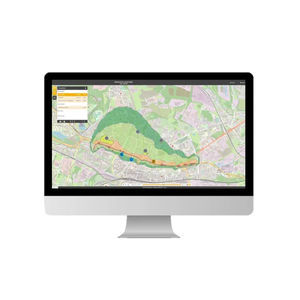
The EFC-400 simulation software from Narda Safety Test Solutions calculates low frequency electric and magnetic field strengths from power generating plants in the frequency range 0-500 Hz. It is the ideal tool for simulating high-voltage overhead lines, buried cables, switchboard plant, substations, general electrical installations, overhead railway lines, and railway routes. From an expandable data archive, pylons and other power lines can be added to the three-dimensional land profiles for processing. Thereby, actual background field strengths and the various frequencies from field sources can also be taken into account.
The new protocol software provides complete support - from planning to commissioning and documentation - complies with all user requirements at every stage, and offers major savings in time and workload. A single click on the mouse can generate printed, ready-to-use forms for documenting and displaying low-frequency systems. A dialogue box guides the user through the entire application, making it virtually error-free. All entries are then saved directly in a database, giving trouble-free access at any time.
|
|
|
|
|
|
ANSYS Emag software addresses the analysis needs of the low-frequency electromagnetics applications such as micro-electromechanical devices (MEMS), induction heating and charged particle tracing. ANSYS Emag can be used as an independent package or in combination with other ANSYS software suite products, such as ANSYS Mechanical, within the ANSYS Workbench environment.
Accurate Electromagnetic Field Simulation
Simulation of magnetic and electric fields is critical to electrical and electronic product designs across many industries. ANSYS Emag software enables engineers and designers to accurately simulate their electromagnetic and electromechanical devices. Applications include; rotating machines (motors and generators), sensors, actuators, switches, magnetic valves, transformers and micro-electro-mechanical systems (MEMS).
ANSYS Emag software provides a comprehensive range of features to address the diverse simulation needs of the electromagnetics engineer. The software simulates low-frequency electric currents and electric fields in conductive and capacitive systems, and magnetic fields resulting from current sources and/or permanent magnets. It contains comprehensive simulation capabilities for static, transient and harmonic low-frequency electric and magnetic studies; permitting the simulation of steady-state current conduction, electrostatics, magnetostatics, time-harmonic quasistatic and time-transient quasistatic electric and magnetic fields. The program can also simulate charged-particle tracing in both electrostatic and magnetostatic fields.
|
|
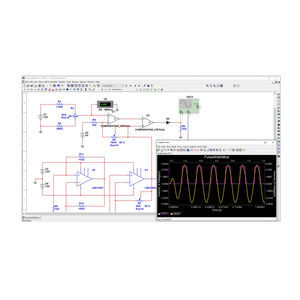
The AC/DC Module sets the stage for modeling the performance of capacitors, inductors, motors, and microsensors. Although these devices are principally characterized by electromagnetics, they are also affected by other types of physics. Thermal effects, for instance, can change electrical properties of materials, while electromechanical deflections and vibrations in generators need to be fully understood during any design process.
The capabilities of the AC/DC Module span electrostatics, magnetostatics, and electromagnetic quasi-statics with unlimited couplings to other physics.
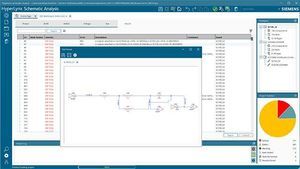
When considering your electrical components as part of a larger system, the AC/DC Module provides an interface with SPICE circuit lists where you choose circuit elements for further 2D or 3D FEA modeling. Then you can take your analysis beyond the conventional by running a single simulation of a mixed system of lumped and high-fidelity models.
|
|
AVL BOOST – Advanced Engine Cycle, Aftertreatment and Duct Acoustic Simulation
AVL BOOST is an advanced and fully integrated “Virtual Engine Simulation Tool” with advanced models for accurately predicting engine performance, acoustics and the effectiveness of exhaust gas after treatment devices. It supports engine development such that for a given vehicle concept, the required torque and power can be delivered in combination with optimized emissions, fuel consumption and passenger comfort (acoustics and transient behavior).
|
|
|
|
|
|
Dynamics and Acoustics of Power Unit and Subsystems
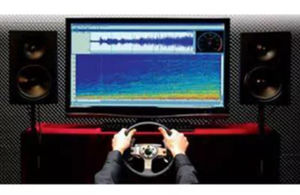
AVL EXCITE is the perfect tool for vibration and acoustic analysis of power units and has been chosen by the majority of engine manufacturers worldwide as their main platform for strength and durability and NVH simulations of power units.
High Fidelity System Simulation
Complete systems and individual components with various modeling depth levels can be built or scaled for each stage of the development process. The models can be adapted to meet the requirements made of them, ensuring the optimum balance between simulation effort and accuracy.
Powertrain Engineering Inside
With many years of experience in the field of engine development, AVL’s software uses accurate and validated mathematical models to provide calculation results that are as realistic as possible. AVL simulation solutions are highly application oriented.
Close Link to Testing
The EXCITE Designer tool provides results in a format that enables an electric motor to reproduce the torsional vibrations of a combustion engine on the transmission test bed. In this way, AVL EXCITE enables customers to save time and costs during the testing phase of a project.
|
|
For a statistical analysis of the measuring values the standard deviation of each measurement is displayed graphically. Measuring time and number of measurement for averaging can be set by the user via PC. The software for the A/S module can be configured at user's discretion.
Via pulse outputs RS 422 and frequency output the measuring value is transformed into a frequency and carried to the evaluation and display unit, like computer, frequency counter, and similar devices where they are processed, linearised, and displayed.
The factory default calibration is based on test stands that have been certified by the German Federal Institute for Physics and Technology (PTB). Therefore the measuring results can be reconverted into national standards.
|
|
|
|
|
|
Basic Information
News: Release CRUISE Version v3.1
- Energy Flow Graphics - The Tool for Fast Analysis of Vehicle Drivelines
- DCT, DCT Control and AMT Control - New Components for New Drivetrains
- Combined Results Chart
- CRUISE Data Search and Data Comparison
- C-Function Mode in Function Component
Consistent Simulation Models and Application-focused Workflows
AVL CRUISE supports everyday tasks in vehicle system and driveline analysis throughout all development phases, from concept planning through to launch and beyond. Its application envelope covers conventional vehicle powertrains through to highly-advanced HEV systems.
CRUISE offers a streamlined workflow for all kinds of parameter optimization and component matching – guiding the user through to practical and attainable solutions. Due to its structured interfaces and advanced data management, AVL CRUISE has established itself as a data communication and integration tool for different teams within world-leading OEMs and their suppliers. This facilitates consistent target definition and the traceability of the decisions made in reaching the best overall results for the developed product.
|
|
The ANSYS Fatigue Module adds the capability to simulate performance under anticipated cyclic loading conditions over a product's anticipated life span. Incorporating both Stress Life and Strain Life analyses with a variety of mean stress correction methods, including Morrow, Smith-Weston-Topper (SWT) and no mean effects, the Fatigue Module provides contour plots of fatigue life, damage, factor of safety and stress biaxiality. Additional results include rainflow matrix, damage matrix, fatigue sensitivity and hysteresis.
For Stress Life the fatigue module supports the following fatigue types:
Constant amplitude, proportional loading
Non-constant amplitude, proportional loading
Constant amplitude, non-proportional loading
For Strain Life the fatigue module supports the following fatigue types:
Constant amplitude, proportional loading
Non-constant amplitude, proportional loading
|
|
|
|
|
|
Pro/ENGINEER Fatigue Advisor
Ensure reliability
Products subjected to repeated cycles of loading and unloading can fail, even if the stresses are well under safe values - a condition known as fatigue. Pro/ENGINEER Fatigue Advisor can bolster product reliability by enabling engineers to simulate and improve the fatigue performance of their designs. This reduces design iterations and costly test programs, while improving product durability. Improve your verification and validation processes with Pro/ENGINEER's advanced fatigue analysis capabilities.
Benefits
- Conduct fatigue analysis, evaluating performance measures such as life, damage, and factor of safety
- Use durability characteristics in design studies to optimize for product life
- Better understand product durability in real-world settings by specifying repeated standard loads
- Make optimal design decisions, incorporating considerations of scheduled obsolescence
- Improve product quality, reduce unplanned after-market service and warranty expenses, and avoid costly product recalls
|
|
VISI Progress is dedicated software for the design of Progressive Dies and Press Tools. Industry specific functionality provides a more productive and efficient design experience. Helping the designer with intelligent decisions will reduce the potential for error and greatly improve manufacturing productivity.
|
|
|
Ideal for users experienced with the traditional ANSYS graphical user interface (GUI) and the ANSYS Parametric Design Language (APDL), ANSYS LS-DYNA is the result of a collaborative effort between ANSYS, Inc. and Livermore Software Technology Corporation. First introduced in 1996, the capabilities and robustness of ANSYS LS-DYNA has helped thousands of customers in numerous industries resolve highly intricate design issues.
|
|
|
ANSYS ASAS is a general purpose structural finite element system that has industry specific features that address the needs of offshore and marine engineers. The ANSYS ASAS product provides the features required for performing global structural assessment of most types of marine structures including jackets, jack-ups, risers, offshore wind farms, and floating systems such as FPSOs, spars and semi-submersibles.
|
|
|
|
|
|
CoCreate Finite Element Analysis
Run design, analysis and simulation in parallel
CoCreate Finite Element Analysis--an integrated 3D CAD-CAM software module inside CoCreate Modeling, is a powerful FEA tool for quickly analyzing real-world design conditions, so you can deliver higher quality products at lower cost. With the simulation and digital prototyping capabilities of this design analysis module, you can validate your product design to meet your customer's physical demands during new product development.
Benefits
* Set up, analyze and save studies directly with the model, allowing for quick reuse and team design communication
* Analyze and digitally prototype individual parts or entire assemblies to improve design for structural integrity
* Conduct standard analyses on product designs, including linear static, modal, buckling, and steady-state thermal analysis
* Incorporate stress, strain, deformation, and temperature distribution throughout your product design with combined thermal and structural analysis
* Analyze both thin-walled and sheet metal parts with shell elements to avoid computational overhead
* Interpret analysis results with easy-to-use visualization tools, animations, and post-study inquiries
|
|
Flux is a general purpose CAE software which only requires that one clearly describe their idea. This is done by defining the individual components which make up the idea in each of the following areas:
- Physical shape, or geometry
- Relative location and orientation
- Mesh or discretization
- Material character
- Excitation or energy source for the idea
Flux then solves for the requested physics and provides one with multiple ways to scrutinize the solution, and to review the success of the idea. You can view the results in many different ways to clearly scrutinize your design idea. You can use color-shaded maps or isovalue lines within the problem region to look at quantities like flux density or heat distribution. You can use variation curves versus time or position, or make spatial spectrum computations. Additionally you can analyze global quantities like inductance, energy, force and torques.
|
|
SAMCEF Linear is a general purpose Finite Element Analysis package.
SAMCEF Linear is driven by SAMCEF Field, the interactive graphical user interface for the modeling, the analysis and the post-processing of structures.
The linear analysis of complex structures can entail the pre-processing of a huge amount of data. SAMCEF Linear benefits from advanced visualization tools, allowing very efficient and straightforward pre- and post-processing of linear analyses.
|
|
Simulation Premium
One of the most comprehensive and sophisticated Finite Element Analysis (FEA) packages available, SolidWorks® Simulation Premium integrates completely with SolidWorks CAD software.
Bring highly advanced validation tools to your design teams at a fraction of the cost of most high-end FEA programs.
Any engineer can easily apply SolidWorks Simulation Premium to perform tough validation tasks like these:
- Study the performance of your designs for excessive deflections and stresses under dynamic loads.
- Perform nonlinear analysis–including impact–on plastics, rubbers, polymers, and foam.
- Conduct contact analysis coupled with nonlinear materials.
- Evaluate the behavior of composite materials.
|
|
|
|
|
|
Nozzle/Pro is designed specifically for the instances where excessive conservatism or dangerous designs might result from dated and often inadequate simplified techniques. Nozzle/Pro is 'sharpening the pencil', and eliminating uncertainty in a calculation. If a WRC 107 method, for example, in cases where WRC 107 estimates a result within plus or minus 150%, Nozzle/Pro can and will produce a result within 15% and will produce it much faster.
* Nozzle/Pro is easier to use than WRC 107 and far more accurate
* Nozzle/Pro produces stresses in straight, pad reinforced or barrel reinforced nozzles, and structural attachments in spherical, dished, elliptical, flat or conical heads and cylinders using the finite element method.
* Nozzle/Pro is also automatically used by Compress, AsmEQuip or Code Calc. If you have one of these products, you can automatically produce finite element results using Nozzle/Pro.
* Nozzle/Pro produces 3d models and "inspector ready" reports in an easy to read HTML format that can be reviewed by anyone with an internet browser
|
|
|
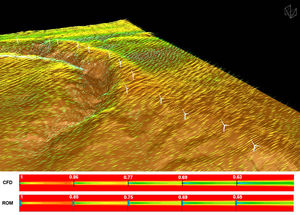
ANSYS fluid dynamics is a comprehensive product suite for modeling fluid flow and other related physical phenomena. It offers unparalleled fluid flow analysis capabilities, providing all the tools needed to design and optimize new fluids equipment and to troubleshoot already existing installations. The ANSYS fluid dynamics suite contains both general purpose computational fluid dynamics software and additional specialized products to address specific industry applications.
|
|
|
|
|
|
• Engineering Fluid Dynamics (EFD) is a different breed of Computational Fluid Dynamics (CFD) software that helps mechanical design engineers analyze and optimize complex fluid flow and heat transfer processes across a wide range of products and industries. FloEFD is based on the same mathematical foundation and numerical simulation in fluid dynamics as traditional CFD software, but 7 key technologies set FloEFD apart, making it quicker and easier to use, more robust, and more accurate. .
FloEFD is designed for use by engineers and is radically different from traditional CFD software in that it completely removes the complexities of numerical/mathematical schemes and computational mesh creation from the user, allowing engineers to focus on optimizing their designs in the shortest possible time. Also since FloEFD is embedded in CAD it uses 3D MCAD models directly – without the need for translation or data transfer. The FloEFD suite has been used in the design of various products from across a wide range of industries such as aerospace, automotive, medical devices, industrial machinery and pumps/ valves.
|
|
|
|
|
|
PASCHAL-PLAN pro - PPpro
CAD Software for planning and structural engineering
- Formwork planning
- Calculation
- Logistics
- Communication
With PASCHAL-PLAN you can simply adopt and edit formwork drawings which have been created in PPL; or you put the formwork together by hand. You have access to all panels and can move formwork panels and all accessory parts as required. Formwork elements and accesories can only be placed in the proper positions: the "intelligent" system is interactive, and only offers you correct solutions. This helps you to avoid errors and increases your productivity. Problems when assembling the formwork on the building site can thus be prevented.
This is all made perfectly clear in the collision tests, which automatically prevents two formwor panels form overlapping. Using the CAD application you can therefore move the formwork panels as on the building site and simulate the erection process.
Building-oriented CAD works like the formwork planning engineer thinks.
When do you need PASCHAL-PLAN?
Are you working on complicated building projects where you have to combine several formwork systems or with other difficult uses of formwork?
Using PASCHAL-PLAN, you can deal with such complicated structures as motorway exits, fun baths, tunnels, reservoir dams or other interesting engineering projects. On your PC you can do everything you couldn't manage with a "normal" formwork program, including special formwork solutions. Even the supports and shoring systems are included in the object library.
|
|
|
|
|
|
We place free at your disposal a multitude d´outils essential.
The tools idéals for manufacturer, office d´étude or service handling.
Example: CD-ROM with calculator of load according to weight of the load, angles, standard d´élingage,...
and selection of the product corresponding to your need.
This CD-ROM puts to you free with provision data D.A.O. 2D and 3D of the rings of lifting, their obstructions, CMU according to 14 d´élingage types, d application examples, vidéos, d´emploi modes, documentations,...
More than 250 various examined rings of lifting...
The integrated computation software enables you to inform & find in a d´étapes minimum the solution with your need. Intelligent! it takes into account the parameters necessary (weight, Nb points of fixing, angles of inclination,...) of your project, attachment units which you use.
More than 600 various sights of draftsmanship can be exported free in files DXF in data 2D and innovation: geometrical data 3D in format JGES.
L utilisator of software CAD can then freely import these data in his software preferred, finished waste of time & tiresome modelings!
|
|
|
SAMCEF provides a powerful method extending Fourier method in order to perform linear and non linear multi-harmonic analyses of axi-symmetric structures, under any load case and taking into account if any coupling between different harmonics. This method is particularly suited to the buckling of cylindrical shallow shells.
|
|
|
Image Processing Toolbox™ software provides a comprehensive set of reference-standard algorithms and graphical tools for image processing, analysis, visualization, and algorithm development. You can restore noisy or degraded images, enhance images for improved intelligibility, extract features, analyze shapes and textures, and register two images. Most toolbox functions are written in the open MATLAB® language, giving you the ability to inspect the algorithms, modify the source code, and create your own custom functions.
|
|
LEED IMAGE ANALYSIS SYSTEM
Model LIM08
Contains low light integration CCD camera, frame grabber, and ambient light cover
Features
Integrated image acquisition and beam energy control on regular and zoomed images
Measurements on "live" or "saved" images
Lattice constant calculations
Spot Intensity profile with fine adjustment
Manual and automatic I-V measurements
Subtraction and addition of images
|
|
|
|
|
|
Our software products include post processing software for geographic imaging, photogrammetry and GPS processing of data. Please click on the software product title for more information.
Leica Flykin Suite
Flykin Suite is state-of-the-art software for post-processing the raw data from airborne GPS systems. It is fully integrated with the Leica Geosystems aerial photography data capture and data processing flow.
Leica GPro
The Leica GPro is the main software tool used to download and ground process ADS40 imagery. It provides the functionality to generate geo-referenced and ortho-rectified images from the recorded imagery and positioning data. GPro also allows automatic point measurement for triangulating ADS40 imagery.
Leica ORIMA
ORIMA Orientation Management software from Leica Geosystems is the modern, easy-to-use and high productivity solution for orientation and triangulation. It enables you to process large data sets of image coordinates, ground control points and GPS coordinates to detect and eliminate blunders, and it minimizes the need for costly remeasurements.
|
|
|
|
|
|
|
Wunstorf, Germany, July 10th, 2001: phoenix|x-ray Systems + Services today launched the update for the acclaimed X-ray inspection software ?image|optimiser? that has been updated for use with the recently released ?high-contrast|detector?. The new software achieves a 14-bit gray scale dynamic range of 214 shades and means that it can visualise an X-ray image with up to 16000 shades of gray. This implies an enormous improvement in comparison to the former 8-bit software which could only show 256 shades of gray on the pc-screen. Manufacturers of components with contrast-weak features e.g. glued surfaces of power semiconductor components, are now able with the new software, to conduct a real-time inspection or saving the X-ray images for a following analysis. The differentiated gray-scale achieved by the integrated imaging software enables the operator to gain a subtle visualisation of detected prodution failures such as voids, cracks and incomplete pad areas etc. The new image|optimiser software is available in combination with the high-contrast|detector by phoenix|x-ray Systems + Services.
|
|
Leica Application Suite Archive
LAS Archive is a powerful application designed to give rapid and convenient access to digital images. Fully integrated with all Leica microscopes and digital cameras this versatile data management solution vastly improves the acquisition, processing, measurement and reporting of images. LAS Archive is a modular and intelligent environment with a unique Leica workflow interface that makes imaging quicker, easier and more logical than ever before. The Core edition uses an integrated archive to give rapid and convenient access to digital images and all microscope and camera data. LAS Archive Basic and Standard are more advanced, optional editions that build on the Core features to exactly match your needs.
|
|
|
|