|
|
W@M - Web Enabled Asset Management
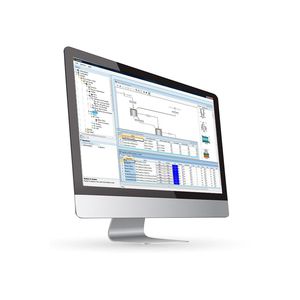
Endress+Hauser has been providing a new and unique Life Cycle Asset
Management System: W@M.
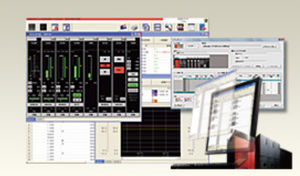
This open and flexible system permits integrated data flow and archiving of product relevant information during the whole life cycle of our products.
W@M supports all processes from planning and layout to engineering,
procurement, installation, commissioning and plant maintenance operations.
W@M is a web based open information system providing relevant information for engineering and operations management at any place and any time.
|
|
General description
IBS Manufacturing Software helps your company through the entire manufacturing process by handling all aspects of production - from demand-driven manufacturing to product configuration and assembly - and integrating them with all of your business processes throughout your supply chain.
IBS process manufacturing software:
- Helps your company meet short lead-times for a broad range of products
- Handles priority based planning
- Makes sure that inventory is at optimal levels
- Enables you to integrate processes and information within your organization and with suppliers, customers and other supply chain systems
|
|
|
Tecnomatix 9 improves planning productivity of manufacturing planning processes. At the same time, Tecnomatix drives manufacturing productivity in many areas, including optimization and commissioning of robotics and automation, manual workplace configuration, and optimal placement of equipment and material flow.
|
|
|
|
|
|
DELMIA Automation helps to significantly reduce product launch time by allowing manufacturers to test, Validate, and debug your system before physical commissioning. DELMIA Automation offers powerful solutions for control engineering and automation lifecycle management that enables validation of this Programmable Logic Controllers (PLC) against a virtual machine, a cell, or an entire line and the performance analysis of these systems.
DELMIA Automation solutions allow the control engineer to leverage the virtual model of the machine or cell to explore different “what if?” scenarios that are otherwise very difficult to validate. What if one robot is running slow? What happens when the line transitions from product A to product B? How will the system react to an operator hitting the emergency switch, and how the machine will start again after the emergency stop to resume full production rate? -- Weeks before integration of all components and systems occur, the control engineer can test all fault conditions, saving costly down time once the system is in production.
In addition to testing and debugging the PLC code, DELMIA Automation solutions allows the engineer to perform a virtual integration of all devices and check the engineering in the different disciplines. Are the hydraulic, pneumatic and electrical systems complete and properly defined? DELMIA Automation allows control departments to work in parallel and share information with mechanical and electrical departments earlier in the development process allowing optimization of engineering processes.
|
|
|
|
|
|
SICIM®
DESCRIPTION
A production management and monitoring system with an industrial network interface option for logging data from machines in real time using bar codes.
SICim is a highly valid system for optimizing and managing the production process. This system enables company resources to be used to the full as well as identifying any situations that are unproductive or critical. It also monitors production progress by tracking in real time the position of every piece and checking costs and production times by comparing current data with past company experience and simultaneously updating company archives.
SICIM has three available levels of integration. Firstly as an independent tool for monitoring production. Secondly when integrated with SICAM it automatically divides the overall sheet metal machining times into the various individual job orders. And thirdly when combined with SICAM and SICAD, it provides a continuous information flow between design, programming and production. Equipped with all the elements needed to automate operations to the full, SICIM can also be connected to company operating and accounting systems.
FEATURES
Archives
Order management
Production
Planning
Logging
Costing
|
|
| ... products without technical information |
| |
Bentley MXROAD Suite combines all of the power of MXROAD—an advanced, string-based modeling tool for new design of all road types, together with PowerSurvey—an all-in-one, standalone survey solution, MXRENEW—a complimentary solution that fits new design onto existing roads for rehabilitation and reconstruction, and MXURBAN— parametric design software for roads in cities and urban areas.
MXROAD Suite includes the ability to quickly create new design alternatives for any type of scheme in order to achieve the ideal road system. Upon selection of the final design alternative, MXROAD Suite automates much of the design detailing process, saving you time and money.
|
|
|
|
|
|
Bentley GEOPAK is a family of integrated civil design and engineering software ideally suited to civil engineering and transportation projects of all types. Developed and supported by practicing civil engineers and professional surveyors, GEOPAK applications offer a plans-production focus that enables engineers to handle an entire project in one continuous cycle, survey through construction.
The GEOPAK software line offers comprehensive, all-in-one solutions for field-to-finish delivery of transportation infrastructure and land development projects.
GEOPAK is renowned for its flexibility to explore multiple design scenarios and optimize project delivery. For added flexibility, GEOPAK design files are synchronized for consistency. The software ensures accuracy by updates related files when information is changed or added. For example, results of a decision at a cross section location automatically transfer to plan and profile.
Civil engineering consultants and transportation agencies put GEOPAK solutions in place across entire organizations to enable tight project collaboration. Users work independently on distributed projects, contributing to a single, comprehensive data model.
Like all Bentley software, GEOPAK solutions work in concert with ProjectWise and Digital InterPlot to enable users to develop a managed environment for lifecycle project management and delivery. This not only ensures a better-coordinated and constructed project, but also results in more manageable infrastructure assets.
|
|
|
|
|
|
InRoads Solutions
Civil Design and Engineering Software
The Bentley InRoads family of civil engineering software is the central design solution on many major civil engineering and transportation projects. Powerful and versatile, InRoads applications are used to address a broad array of civil engineering needs, from rapid evaluation of impacts during preliminary phases to final design and plans production.
Powerful regression analysis combined with InRoads unique element design capability gives users the power to resolve complex design geometry efficiently and accurately in accordance with unique engineering design criteria. A unique roadway designer allows interactive design and review in a synchronized viewing environment.
Along with roads and highways, InRoads applications are put to use on a host of engineering projects, including railways, municipal and public works projects, commercial and industrial sites, levees, canals and rivers, pipelines, environmental projects and more. Users can improve productivity and accuracy with focused yet integrated applications.
The InRoads solutions run seamlessly with Bentley’s project collaboration software servers, enabling users to achieve a fully managed environment.
ProjectWise gives InRoads users the security to store, distribute, track, and manage InRoads data across unlimited users, offices, project team members, and locations. Employing InRoads and ProjectWise with Digital InterPlot for plotting and publishing, users reap the benefits of a world-class solution for project collaboration.
|
|
|
|
|
|
Bentley PowerCivil is comprehensive design software, offering civil engineers and designers a flexible 2D/3D tool for land development and site modeling. No CAD platform is required. PowerCivil runs standalone with native DGN and DWG file formats, using a full complement of CAD-based toolsets.
Unique relationship modeling enables rapid, dynamic exploration of site development scenarios. Combined with a complete set of plan preparation tools, plan sheet generation, and automatic volume/material quantity calculations, this enables more effective project execution.
PowerCivil can be used for a wide range of projects:
• Commercial building, plant, and manufacturing sites
• Airports and rail terminals
• Subdivisions, urban complexes, parks, campuses, and golf courses
• Dams, mines, and landfills
• Drainage, utility, and floodplain projects
PowerCivil streamlines design, production of project deliverables, and electronic conveyance to construction:
• Field-to-Finish Integration: integrated multidiscipline product for survey, graphical coordinate geometry (COGO), digital terrain modeling, site grading, water and sewer, storm drainage, and street design.
• More Flexibility with Visual Modeling: Instant visual feedback enables designers to rapidly explore an array of design options.
• Multi-Format Support: Regardless of the data format you choose to work with or need to deliver, PowerCivil is the civil design software most capable of meeting your project requirements.
• Increased Productivity and Collaboration: PowerCivil not only increases individual productivity, but also promotes collaboration between multiple users.
|
|
|
|
|
|
AutoCAD® Civil 3D® civil engineering software uses building information modeling (BIM) to help civil engineering project teams evaluate more what-if scenarios earlier in the design process and get transportation, land development, and environmental projects done faster and more efficiently.
AutoCAD Civil 3D helps civil engineers optimize project performance with geospatial analysis to identify the best project site, stormwater analysis for more sustainable designs, quantity takeoff and dynamic earthwork calculations to optimize material usage, and 3D visualizations to better understand project impacts on environment.
Features
AutoCAD® Civil 3D® software, the building information modeling (BIM) solution for civil engineering, helps teams design, analyze, and visualize projects more efficiently. With built-in tools for geospatial and storm water analysis, quantity takeoff, and 3D visualization, civil engineers can explore more what-if scenarios and optimize project performance. Core features and functionality of AutoCAD Civil 3D include:
Geospatial analysis integration in conceptual design
Surveying and coordinate systems
Surfaces, grading, and dynamic relationships
Building information modeling for street and highway design
Intelligent pipes layout
Integrated hydraulic and hydrological analysis for storm water management
Facilitates team coordination-synchronizing design changes
Dynamic quantity takeoff and earthwork calculations
Styles, CAD standards, and production drafting
Data compatibility and interoperability
Visualization and better communication of design intent
|
|
| ... products without technical information |
| |
|
|
|
|
The complete dimensional control and engineering analysis capabilities of PolyWorks/Inspector in a package specifically dedicated to interactive probing metrology applications.
A standard license of PolyWorks/Inspector Probing comes fully featured and offers you:
- Comprehensive data-handling capabilities for probing applications: multiple coordinate systems, alignment history, management of multiple instruments and positions, bundle adjustment, integrated statistical process control (SPC), GD&T, and more
- Standard probing tools: alignment to CAD, probing of features and cross-sections, comparison to CAD surface and boundary, and more
- Advanced probing capabilities including quick alignment to CAD, configurable flush & gap and profile gauge probing, and more
- Full support of laser trackers, including tracker motion control, environmental parameters, overview camera, orientation to gravity, definition of special adaptors for SMR reflectors, and more
- Full support of manual CMMs, including probe calibration and machine coordinate system setup
- Free IGES, STEP, and STL translators
- Free plug-ins for a wide range of arm-based and hand-held probing devices, photogrammetry-based devices, laser trackers, and manual CMMs
PolyWorks/Inspector Probing handles up to 100,000 points.
|
|
|
|
|
|
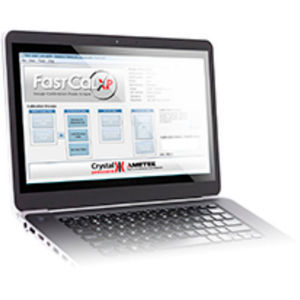
FastCalXP Gauge and Transmitter Calibration Software
FastCalXP software also utilizes Hart signals.
What has been unique about Crystal’s FastCalXP software is the speed and ease of use. Setting up the software and starting to calibrate pressure gauges or transmitters has never been faster or simpler. Traditionally, when calibrating mechanical pressure gauges, a person applies a fixed pressure and then tries to estimate the position of the needle on the gauge.
With FastCalXP, pressure is applied until the needle is on the desired point (using the GaugeCalXP Pressure Comparator) and then the actual applied pressure from the reference gauge is recorded digitally and automatically. This eliminates typing and transcription errors and is 7 to 10 times faster than using a deadweight tester. In less than three minutes, you can do a 10 point up and down calibration, including printing out a calibration certificate.
FastCalXP records the applied pressure, milliamp output, and/or the HART signal (if available) from the transmitter, all automatically. FastCalXP cuts down pressure transmitter calibration time down to just a few minutes.
Watch demo of how easy it is to use FastCalXP at www.crystalengineering.net/fastcalxp
Pressure is Our Business!
|
|
|
Win3700 Software integrates computer technology for measuring spring and resilient materials characteristics. It features high-speed data acquisition to optimize the accuracy of test results. Win3700 Software is provided with all LINK testers that use a Model 3700 Display Module, and any Module upgrade to an existing LINK electronic tester. It operates on any computer running Microsoft Windows.
|
|
| ... products without technical information |
| |
|
|
|
|
Characterization
Geomagic Studio automatically generates an accurate digital model from any physical part. The world's number 1 software for automated reverse engineering, Geomagic Studio is also ideal for emerging applications such as mass production of customized devices, build-to-order manufacturing, and automatic re-creation of legacy parts. Only Geomagic Studio delivers all of this:
- Guaranteed watertight polygon and NURBS models
- Ten-fold productivity increases over traditional CAD software when processing complex or free-form shapes
- Automated features and simplified workflow that reduce training time and allow users to bypass tedious, labor-intensive tasks
- Integration with all major 3D scanners and CAD/CAM software
- Ability to work as a stand-alone application for rapid manufacturing or as a complement to CAD software
Software-Features
- Geomagic Studio supports all 3D digitizers, cameras, and scanners in XYZ/ASCII format and handling ordered and unordered surface and volume data.
- Apply previously defined transformation matrices to simplify orientation of scan data.
- Manually register multiple point clouds using 1-point and n-point.
- Automatically register multiple point clouds using target (tooling ball) registration and global registration.
- Automatically merge multiple scans.
|
|
|
|
|
|
In recent years reverse engineering has been seen as a necessary yet time consuming engineering process, invariably requiring highly skilled resources. This is no longer the case as CopyCAD is quick, simple and interactive, offering even casual users the power to quickly solve engineering problems, from closing the loop on development cycles with copy milling, to feeding free form organic surfaces into the front end of the design project. By embracing the potential of scanned point cloud data, CopyCAD offers solutions constrained only by the imagination of the user.
CopyCAD is a complete point data manipulation and transformation solution, enabling engineers to bridge quickly and accurately the gap between the physical and digital world. CopyCAD does not constrain a user to the traditional definitions of reverse engineering.
Instead, CopyCAD gives the user total control over a point cloud data set, and offers a complete set of solution paths to the user.
Benefits
- Reverse engineering from existing models or parts
- Rapid surface generation
- Generation of water tight STL files for rapid prototyping
- Triangulation wizard cuts processing time down to a minimum
- Features can be highlighted to aid surface fitting
- Unique 3D modelling tools allow interactive smoothing and sculpting of triangle models in real time
|
|
CoCreate's collaborative PLM applications give manufacturers the technology they need to quickly adapt to changes within supply chains and markets. With our OneSpace.net collaboration software, change leads to opportunity and, ultimately, top line growth.
Our collaborative PLM suite includes OneSpace.net, RealLink and CAD Converters so you can convert 3D CAD models from popular formats.
Seamlessly bridge the gap between team members outside the firewall and information controlled within internal enterprise systems with our collaborative PLM applications.
|
|
- Complete 3D Scanner Software Solution
- Produce 3D Images quickly and Effectively
- USB Plug and Play
- Exports STL, OBJ, ASCII, and other file formats
- Imports directly into popular CAD and CAM programs
Software Features
- Merges and Aligns multiple Scans together
- 3D Viewer
- Color and Appearance Adjustments
- Scaling and basic Measuring
- Export point cloud and mesh formats
Applications
- Reverse Engineering
- Orthotics
- Design
- Animation
- Footwear
The price of our ESCAN is US$7,095 which comes bundle with reverse engineering software, merging and alignment software STL, ASCII, VRML output. Our EScan system achieves what other high quality laser scanners can at an affordable price, bang-for-your-buck accuracy vs price. The EScan offers an affordable alternative to our existing Optix 400 series product line-up, when the high re-solution is not necessary.
|
|
|
|
|
|
TURBOSOFT NT:
Powerful CAM System for the CNC programming of 5- & 6-axis milling applications on turbine blades, blisks, impellers and extruders.
- Airfoil specific geometry elements
- Roughing and finishing strategies directly applicable on geometry elements
- Automatic elimination of turbine blade specific critical milling operations such as hearts, flanks, platforms, plunging etc.
- Integrated Postprocessor with application specific cutting path optimization
- Automatic continous blank size adaption
- Operating System Windows NT
- Adaptive Milling & custom functions optional
TURBOSOFT plus:
Specialized CAM System for the CNC programming of 5-axis milling applications on airfoils.
- Airfoil specific geometry elements
- Roughing and finishing strategies directly applicable on geometry elements
- Automatic elimination of turbine blade specific critical milling operations such as hearts, flanks, platforms, plunging etc.
- Integrated Postprocessor with application specific cutting path optimization
- Automatic continous blank size adaption
|
|
SICAD Max®
DESCRIPTION
Design and calculation development
This is a design system for technical offices with 2D and 3D options and surface and solid modelling management. It also calculates the flat "unfolding" of sheet metal parts.
FEATURES
SICAD Max effectively solves the following problems:
two-dimensional design
three-dimensional modelling
advanced positioning
work table positioning
automatic tabling
removes hidden lines and shading
overall view/space management
exploded diagram calculations
automatic shot-peening
basic material list
classic company solid model management
parameter management
2D mechanics symbol library
3D mechanics symbol library
variational positioning
DXF interface (reading and writing)
DWG interface (reading and writing)
IGES interface (reading and writing)
unfolding calculations for boxes
unfolding calculations for pipes and hoppers
|
|
|
|
|
|
SICAM Jump [CUT]®
DESCRIPTION
A programming system for cutting sheet metal.
An integrated system for the two-dimensional design of articles, managing the article library, and performing manual, semiautomatic and automatic nesting operations.
Cutting technology for laser, plasma, oxygen lance and water jet machines with automatic technological parameter, cutting line and work rule management for all the different kinds of technology specified.
Design exchange interface from/to other Cad packages.
FEATURES
SICAM Jump [CUT] consists of the following modules:
- two-dimensional design
- DXF interface (reading and writing)
- DWG interface (reading and writing)
- automatic, manual and interactive nesting
- automatic and manual technology
- automatic common cutting
- automatic and manual micro-joint operation
- bridge operation
- multi-head machine operation with automatic packing
- cutting parameter tables
- editing at any time during programming
- piece library
- metal sheet library
- job library
- warehouse management (with bar code reading option)
- management of metal sheets of any size
- order management
- personalized print layouts
|
|
|
|
|
|
LIBELLULA [CUT]®
DESCRIPTION
LIBELLULA [CUT] LIBELLULA [CUT] is a programming system for laser, plasma, oxygen lance and water jet etc. cutting machines in the Libellula universe.
It has been designed with the latest technical and computer tools and is compatible with the new Windows 32 and 64 bit platforms.
Libellula[CUT] is also based on the Libellula Univers "One Click" philosophy.
In this area, the "one click" philosophy has led to the development of a range of real application support technology.
ISA (Intelligent Shape Analyzer) technology analyses completely automatically the shapes of each individual piece to be cut and selects the most appropriate nesting method, thereby freeing the user from making long and complex choices that have up until now limited the use
of automatic nesting.
RTC (Ready To Cut) technology automatically activates Libellula[CUT] when a new event is registered (e.g. when a DXF file/files is/are imported), and immediately and automatically recovers all the information needed to perform nesting operations, cutting paths and the post processor procedures requested.
Last of all, QLC (Quality Level Check) technology enables production to be launched for all or only the jobs within certain specific quality parameters. These parameters are chosen when Libellula [CUT] is installed or whenever necessary. If quality standards are not sufficient for the production batch selected, the system attempts to find better solutions by making certain choices that enable the minimum requirements requested to be met.
|
|
|
|
|
|
SITUBE®
DESCRIPTION
4-axis pipe cutting technology
SITUBE is a special tube cutting system designed to cut not only round pipes but tubes of any shape or cross-section. When combined with SI[CAD]max, SITUBE enables three-dimensional model mathematics to be imported and modified or completely recreated. Here the term mathematics refers to shapes on which cutting paths can be generated.
By means of a high precision analysis of the surfaces and curves to be cut, the system decides the beginning and ending procedures and moves the laser cutting head to a perpendicular position above the relative points on the cutting path, defining the technological laser parameters on the basis of the work rules set by the user.
The program guarantees a risk free cutting path thanks to a monitoring module as well as specifically checking for possible collisions between the laser head and parts of the piece
to be cut.
A dynamic simulation of the workpiece, the spindle, the securing system, piece rotation and the interaction between the piece and laser head can also be viewed before the part program to be sent to the machine computer is generated.
FEATURES
SITUBE consists of the following modules:
- SI[CAD] max: 3D geometry
- SITUB3: 4 axis laser cutting technology
- Post Processor: ISO code generator
|
|
|
|