


Monitoring software AcowaZoo configurationprocessWindows

Add to favorites
Compare this product
Characteristics
- Function
- monitoring, configuration
- Applications
- process
- Operating system
- Windows
Description
This configuration tool is a remarkable software program that offers numerous benefits for configuring water monitoring devices like the SPIDER and GEKKO.
First and foremost, AcowaZoo is completely free, making it an attractive option for both professionals and enthusiasts alike. Also it simplifies the process of setting up as well as managing monitoring equipment – which ensures a hassle-free experience for users. Likewise, to get started, one can easily download AcowaZoo from the ACOWA INSTRUMENTS download center.
Connection to PC with AcowaZoo - Configuration Tool
To begin the configuration process, connect SPIDER or GEKKO to your PC using a Micro-USB connector. Once the AcowaZoo – Configuration Tool application is launched, it will continuously try to establish contact with the device via USB connection. Thus allowing a seamless and uninterrupted configuration process.
Moreover, AcowaZoo is compatible with various operating systems, including Windows 7, 8, and 10 or later. To begin with, simply locate the installation file, “AcowaZoosetup.exe,” which is found in our download center. Then run it to install AcowaZoo on your computer. For added convenience, AcowaZoo can be downloaded in two versions: 32-bit and 64-bit. This broad compatibility ensures that a wide range of users can benefit from this powerful configuration tool.
Generel Info
Operating system - Windows 7, 10 or later.
CPU - Minimum 1 core 2 GHz
RAM - Minimum 4GB
Hard disk space - Minimum 500Mb
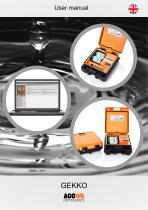
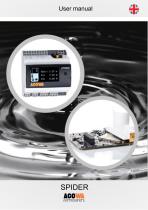
Other ACOWA INSTRUMENTS products
Software and cloud solutions


Related Searches
- Automation software solution
- Management software solution
- Process software solution
- Real-time software solution
- Windows software solution
- Control software solution
- Monitoring software solution
- Visualization software solution
- Development software solution
- EDM software
- Data management software solution
- Calculation software
- Flow software
- Centralized software solution
- Alarm software
- SCADA software
- Electric software
- Pump software
*Prices are pre-tax. They exclude delivery charges and customs duties and do not include additional charges for installation or activation options. Prices are indicative only and may vary by country, with changes to the cost of raw materials and exchange rates.
About DirectIndustry
DirectIndustry is a marketplace that offers B2B players a complete experience, from product sourcing to purchase. DirectIndustry is an entity of VirtualExpo Group.
Are you a buyer?
Are you a supplier?