

- Robotics - Automation - Industrial IT
- Automation
- Compact RFID reader
- TERTIUM Technology


- Company
- Products
- Catalogs
- News & Trends
- Exhibitions
LED driver RFID reader-writer nfc scannercompactportableUSB


Add to favorites
Compare this product
Characteristics
- Configuration
- compact, portable
- Connectivity type
- USB, Bluetooth
- Other characteristics
- HF, NFC, with integrated antenna, IP54, for LED driver
- Frequency
13.56 MHz
- Detection distance
6 cm
(2.36 in)
Description
Thanks to NFC technology it is possible to optimize the installation, maintenance and programming operations of the LED drivers.
NFC Scanner allows you to perform these tasks in case:
your smartphone does not have an NFC antenna
your smartphone has a low-quality NFC antenna
the driver is difficult to reach with your smartphone
NFC Scanner can be easily connected to the smartphone via Bluetooth Low Energy (BLE).
Follow these steps:
Switch on the NFC Scanner by press and hold the finger on the button until you hear a beep.
Make sure the battery of the NFC Scanner is charged sufficiently. If the blue LED is blinking once per second, you need to charge it.
Position the NFC Scanner antenna correctly respect to the NFC area of the LED driver for an optimal connection (DOWNLOAD THE USER GUIDE)
To start the reading or writing data to or from the LED driver you do not need to push the button, just follow the App instruction and wait the flashing of the yellow LED
The basic pack includes:
NFC Scanner;
USB cable (Micro USB Type B);
Warranty flyer and SDK download.
VIDEO
Catalogs
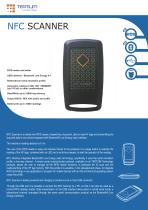
NFC SCANNER
2 Pages
Other TERTIUM Technology products
RFID HF MOBILE READERS


*Prices are pre-tax. They exclude delivery charges and customs duties and do not include additional charges for installation or activation options. Prices are indicative only and may vary by country, with changes to the cost of raw materials and exchange rates.
About DirectIndustry
DirectIndustry is a marketplace that offers B2B players a complete experience, from product sourcing to purchase. DirectIndustry is an entity of VirtualExpo Group.
Are you a buyer?
Are you a supplier?