


- Products
- Catalogs
- News & Trends
- Exhibitions
CAD software AutoCAD LT®safetyeditingschematic drawing


Add to favorites
Compare this product
Characteristics
- Function
- CAD, safety, editing, schematic drawing
- Applications
- construction
- Type
- 2D
- Other characteristics
- AutoCAD
Description
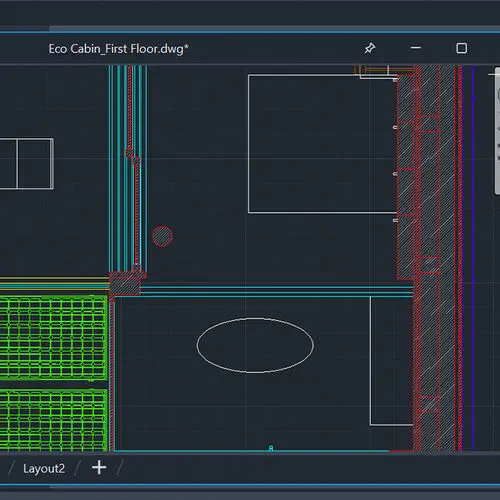
Create your 2D designs with precision and best-in-class documentation features. Architects, engineers, and construction professionals use AutoCAD LT® to:
Design, draft, and document with precise 2D geometry
Access a comprehensive set of editing, design, and annotation tools
Streamline your work by customizing your interface and automating your workflows with AutoLISP
Draft with precision and speed with best-in-class 2D features and documentation
Create precise 2D drawings faster with the easy-to-use drafting tools in AutoCAD LT. Improve productivity by automating common tasks and streamline workflows using tools written with AutoLISP.
Work anywhere with AutoCAD on the web (included)
View, annotate, and share 3D DWG files and edit 2D drawings with a simple user interface on any computer. Just sign in and get to work—no software installation is required.
Use AutoCAD LT on the go with AutoCAD on mobile (included)
Take the power of AutoCAD with you wherever you go—even offline. View, edit, comment on, and create CAD drawings in real time.
VIDEO
Catalogs


Autodesk ® Flame®
2576 Pages

AUTODESK ® 3DS MAX
1358 Pages
Exhibitions
Meet this supplier at the following exhibition(s):

Other AUTODESK products
Architecture, Engineering & Construction


Related Searches
- AUTODESK automation software
- AUTODESK management software
- AUTODESK analysis software
- AUTODESK process software
- Real-time software solution
- Windows software solution
- AUTODESK CAD software
- AUTODESK cloud software
- AUTODESK control software
- AUTODESK design software
- Industrial software solution
- AUTODESK 3D software
- Measurement software
- Interface software
- AUTODESK visualization software
- AUTODESK quality software
- AUTODESK simulation software
- AUTODESK programming software
- AUTODESK automated software
- AUTODESK development software
*Prices are pre-tax. They exclude delivery charges and customs duties and do not include additional charges for installation or activation options. Prices are indicative only and may vary by country, with changes to the cost of raw materials and exchange rates.
About DirectIndustry
DirectIndustry is a marketplace that offers B2B players a complete experience, from product sourcing to purchase. DirectIndustry is an entity of VirtualExpo Group.
Are you a buyer?
Are you a supplier?
© 2026 All rights reserved - Terms - Privacy policy - General Terms - Manage cookies - 鄂ICP备2026053537号-2 -