


Document management software RISECap


Add to favorites
Compare this product
Characteristics
- Function
- document management
Description
Overview
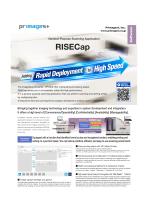
RISECap is a document-processing application for ImageValue environments that requires no custom application development. All scanning, recognition, printing, classification and output behaviors are defined by user-configurable settings to enable rapid deployment and change management.
Configuration screen for scanning and sorting without development
The configuration interface supports document identification by physical size and recognition content so forms can be printed and routed by type. Output destination folders, file names and exported data content are configurable to enable end-to-end batch settings from scanning through downstream linkage.
Key features
Usage / Visuals
Product UI screenshots (preview and zoom) and a demonstration video are provided to show typical usage and configuration workflows.
Technical specifications
RISECap is a document-processing application for ImageValue environments that requires no custom application development. All scanning, recognition, printing, classification and output behaviors are defined by user-configurable settings to enable rapid deployment and change management.
Configuration screen for scanning and sorting without development
The configuration interface supports document identification by physical size and recognition content so forms can be printed and routed by type. Output destination folders, file names and exported data content are configurable to enable end-to-end batch settings from scanning through downstream linkage.
Key features
- Function configuration: set recognition, printing, classification and output destinations via job settings without requiring developer intervention.
- Scanning/Sorting modes: Scanning Only (capture, print, export images) and Scan and Sort (classification using optional recognition engines).
- Document identification: configure OCR / 1D / 2D reading and pattern matching rules to identify document types.
- Batch structuring: apply document types (Header, Separator A, Separator B, Data) to build hierarchical batches.
- IJP printing: configure print formats and contents; supports multiple text/barcode prints depending on barcode type and ImageValue constraints.
- Plugin support: extend functionality by developing DLL plugins for requirements outside job settings capabilities.
- Language support: English and Japanese.
Usage / Visuals
Product UI screenshots (preview and zoom) and a demonstration video are provided to show typical usage and configuration workflows.
Technical specifications
- Modes: Scanning Only and Scan and Sort (identify by OCR/1D/2D or form size).
- Identification: set fields to read, read positions/quantities, patterns and digit rules; document size defined as Height × Width.
- Maximum documents per JOB: up to 100 (dependent on PC specifications; >100 requires discussion).
- IJP limits: total printed items (text + 2D barcodes) up to 5; restrictions apply when 1D barcodes are combined (specification-dependent).
- 1D barcode support: CODABAR, Code39, Code93, Code128, EAN-8, EAN-13, I2of5, GS1 Databar, GS1-128, MSI, UPC-A, UPC-E.
- 2D barcode support: QR Code, Data Matrix, Aztec, PDF417, GS1 Aztec, GS1 QR.
- OCR/fonts: OCRB, E13B (additional fonts by consultation); MICR supported when MICR scanner option is installed.
- Image formats: Color/Grayscale = JPEG; Black & White = TIFF. Resolution: 150–600 DPI.
- Sides: front and back supported; up to 9 images per side (depends on transport speed).
- Image processing: trimming, rotation (0°/90°/180°/270°), auto-crop (selectable sides), auto-brighten, brightness/JPEG/binary quality adjustments.
- Failed image detection: dog-ear and size error detection.
- File/folder naming: editable per image/side using items such as serial number, sequence, JOB info, fixed text, JOB name, batch number, date, etc.
- Folder switching: by total scanned count or by detected document type; batch separation available.
- Metadata formats: CSV, XML and custom (selectable delimiter); metadata fields editable in settings (serial, sequence, JOB info, OCR/1D/2D/MICR results, image file name/size/dimensions, pocket number, printed IJP, etc.).
- Scan screen: selectable single image preview, thumbnail support; image edit/delete may be unavailable; data list fields editable via job settings.
- Pocket sort: assign pocket number per document; rejected documents can be directed to specified pocket.
- JOB management: create from defaults or existing JOBs, delete, import/export, automatic backup and restore of JOB edits.
- Privileges: operator / administrator / engineer roles to restrict editable features.
VIDEO
Catalogs

Exhibitions
Meet this supplier at the following exhibition(s):

Related Searches
*Prices are pre-tax. They exclude delivery charges and customs duties and do not include additional charges for installation or activation options. Prices are indicative only and may vary by country, with changes to the cost of raw materials and exchange rates.
About DirectIndustry
DirectIndustry is a marketplace that offers B2B players a complete experience, from product sourcing to purchase. DirectIndustry is an entity of VirtualExpo Group.
Are you a buyer?
Are you a supplier?