|
|
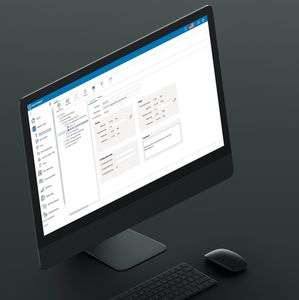
Astra R-Nesting is sheet nesting software for optimized cutting of particle board, metal, glass and plastics. Its simple and intuitive tools allow the user to do the following operations:
- Quickly create an order using standard assemblies, convenient manual entry
or import of data from other applications.
- Cut the order in accordance with the technological parameters. Unique to Astra R-Nesting is a set of parameters that let the user customize the software to the specific needs of the enterprise.
- Quickly and exactly edit cutting layouts by hand, using the functions specially designed for it.
- Calculate and save offcuts to be re-utilized later.
- Print reports and labels.
- Export cutting layouts to NC machines.
- Calculate the cost of the order and print the invoice.
|
|
Laser, Flamecutting
Important functions of this module:
Analysis of the whole workpiece-geometry
Technology table with parameter selection
Analysis of the whole workpiece-geometry
Defining lead-in and lead-out movements
Automatic support of disposal equipment
Treatment of outlines with/without offset correction
Contour types (movements) middle, parallel, triangle-corner, turn-corner or roll-corner
Setting bridges, path, short cuts
Setting micro spotwelds or paths Technology laser/Flaming cutting
Technology laser / flame-cutting
Support of multiple heads
Automatic path optimization for Highspeed
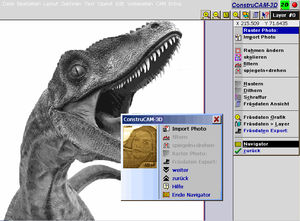
Engraving, Windows text, BMP/JPG conversion
|
|
|
|
|
|
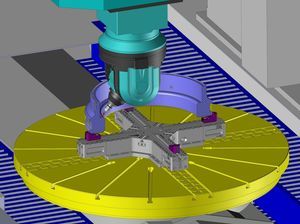
act/cut 3d is aimed at programming all 3D-cutting installations (laser, water-jet, plasma) whatever the number of axis. Furthermore, act/cut 3d offers another specificity: the software can be extended to other technological processes such as laser welding and polishing.
From a true 3D-representation of the machine (kinematics, axis limits...) and its environment,
act/cut 3d allows a very quick definition of cutting contours on CAD-imported parts. In addition, the software enables you to automatically model the tooling based on the 3D model of the part. Then, the software generates the head trajectories using a powerful algorithm that optimizes the paths with collision avoidance. Creating and validating the cutting program is easily carried out thanks to the realistic simulation functions and automatic control functions combined with visual displays of anomalies.
act/cut 3d is an autonomous programming software that pilots all machine and robot trademarks. Moreover, for 5-axis machines that may have to cut flat sheets, the 2D programming modules are provided with act/cut 3d. For companies that might have to cut tubes, the optional module act/tubes that includes specific features for tubes cutting (modeling, nesting and programming) can be combined with act/cut 3d.
|
|
|
Control Systemation maintains an extensive software development department staffed with experienced software engineers. No task is too small, nor too large or complex. From vision systems and databases to full factory automation CSI has been in the forefront of Automation Design. We design, test, and have shipped more than 200 custom software projects a year to industrial, medical, aerospace, automotive, and electronic industries. We specialize in Databases, Host Communications, Vision System Interfaces, Inventory Control, User Interfaces, Robotics, and Networking.
|
|
- Position of origin of the laser head
- Return to the point of origin of the head after machining
- Dynamic visualization of the laser head
- Possibility of making a rotation of the part during machining
- Function cone makes it possible to chamfer all the part or of drowning the heads of screw
- Function of cutting planar, radial, circular and equidistant (cutting of tube)
- Possibility of authorizing a going beyond
|
|
SICAD Max®
DESCRIPTION
Design and calculation development
This is a design system for technical offices with 2D and 3D options and surface and solid modelling management. It also calculates the flat "unfolding" of sheet metal parts.
FEATURES
SICAD Max effectively solves the following problems:
two-dimensional design
three-dimensional modelling
advanced positioning
work table positioning
automatic tabling
removes hidden lines and shading
overall view/space management
exploded diagram calculations
automatic shot-peening
basic material list
classic company solid model management
parameter management
2D mechanics symbol library
3D mechanics symbol library
variational positioning
DXF interface (reading and writing)
DWG interface (reading and writing)
IGES interface (reading and writing)
unfolding calculations for boxes
unfolding calculations for pipes and hoppers
|
|
|
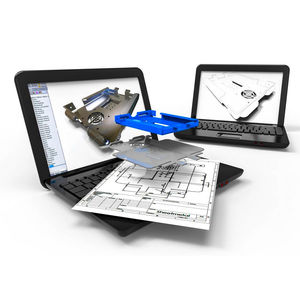
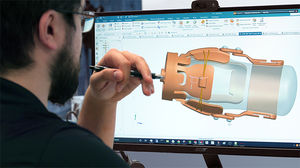
Sheet metal design is a core capability of Solid Edge, with support for the entire design-through-fabrication process. Leveraging Synchronous Technology, sheet metal designers can develop models faster using fewer commands, make changes in real-time, edit supplier data, and take designs to production with flat patterns and automatic drawings. Solid Edge delivers the most productive sheet metal CAD package available.
|
|
This module enables you to:
... model using local 3D-CAD-Functions
... import 2D-Views and 3D-Models from other CAD-Systems
... multiple language support
Important functions of this module:
Import 2D: import of 2D-Views into the 3D model
Add 3D: line, arc, areas, flange, notch, solids
Move 3D: turn, transform, duplicate, mirror, profile
Trim 3D: limit, break, change
Variable 3D: stretching, main-dimensions
Corner 3D: edge, bending, round, champfer, cut, rib
Colours 3D: element, plane, shading, hidden lines
Delete 3D: element, object, group, plane
Information 3D: element, distance, angle, auto-dimension
Model 3D: load, save, add, delete, rename
Image 3D: direction, rotation, shading, hidden
Assembly 3D: structure, explode, group
View 3D: direction, plane, rotation, drawing
|
|
ArtCAM Pro is a unique software program designed to produce decorative products directly from 2D artwork quicker than you ever thought possible.
You can use ArtCAM's advanced 3D modelling and machining tools to create and machine your 3D products, or directly route, or engrave your designs from 2D artwork, using ArtCAM's powerful vector based design tools and 2D machining strategies.
ArtCAM Pro is used by 1000's of users, worldwide, across a vast range of industries, successfully enhancing their product ranges and their profits.
|
|
|
ACT/CUT: programming and nesting software for CNC cutting machines following contours (laser, plasma, oxyfuel, waterjet, routing...) and punch-presses.
|
|
|
|
|
|
SICAM Jump [CUT]®
DESCRIPTION
A programming system for cutting sheet metal.
An integrated system for the two-dimensional design of articles, managing the article library, and performing manual, semiautomatic and automatic nesting operations.
Cutting technology for laser, plasma, oxygen lance and water jet machines with automatic technological parameter, cutting line and work rule management for all the different kinds of technology specified.
Design exchange interface from/to other Cad packages.
FEATURES
SICAM Jump [CUT] consists of the following modules:
- two-dimensional design
- DXF interface (reading and writing)
- DWG interface (reading and writing)
- automatic, manual and interactive nesting
- automatic and manual technology
- automatic common cutting
- automatic and manual micro-joint operation
- bridge operation
- multi-head machine operation with automatic packing
- cutting parameter tables
- editing at any time during programming
- piece library
- metal sheet library
- job library
- warehouse management (with bar code reading option)
- management of metal sheets of any size
- order management
- personalized print layouts
|
|
OFFLINE INTEGRATION FOR LASER CUTTING
CADMAN-L 3D provides fully automatic, semi-automatic or manual offline programming including nesting, optimization of cutting and machine parameters. This software allows the user to configure the type and value lead-in/lead-out for different contours depending on the material and thickness to be processed.
Flexible lead-in/lead-outs
Automatic selection from various types of micro-joints
Advanced common line cutting
Collision avoidance and automatic cutting sequence
Skeleton cutting and utilization of sheet remnants
Complete flexibility to manually or semi-automatically cut and nest laser parts
Automatic time and cost reporting
|
|
OFFLINE INTEGRATION FOR PUNCHING
CADMAN-P 3D offers a range of sophisticated functions for programming CNC turret punch presses. Punch sequencing and tool selection automaticallly consider turret configuration, stations sizes and features to optimize the punching process. CADMAN-P 3D provides full support for all standard and advanced punching functions, including Multi-Tools, standard and special punches and tools for forming, embossing, tapping, stamping and rolling.
Automatic punch selection, assignment and turret loading
Optimization of tool changes and punch sequencing
Complete support for complex punching
Powerful database control of punches and dies, Multi-Tools and turrets
Extensive parametric punch and die library
Common and non-common line punching
Automatic sheet repositioning
Automatic time and cost reporting
|
|
|
|
|
|
PLUS 2D - Metal is a state of the art nesting software for generating optimized layouts and reducing scrap generated by 2 Dimensional cutting processes. Whether your stock is in the form of Sheets or Coils (rolls), once you define your cutting job, the layout software requires just one mouse click to arrange the parts on appropriate stocks. It requires minimum skill and effort from the operator for generating the optimized layouts.
This has optional add-on modules for Ring Optimization, Large Parts with Joints, NC Code generation, Pattern Editing and Bar Code Label generation and printing.
Application Areas:
The software finds application in Gaset, Piston Rings manufacturing, Grating Manufacturing, Industrial Enclosure, HAVC, Panel, Steel Furniture manufacturing, Bus, Truck, Rail coach, Auto body building, Pre-engineered Building manufacturing, Pressure Vessels & Boiler manufacturing and in Sheet Metal Fabricating industry.
Features:
- Simple User Interface.
- Multiple stocks in a single job.
- Supports De-coiling (stock is in the form of coils/rolls)
- Supports both Metric and English units (mm or Inches)
- Supports non-rectangular parts through DXF import, Parametric Part library and standard shapes.
- Integrated inventory database.
- Part assemblies.
- Standard Material library available.
- Support for machine blade length.
- Import data from text files with CSV file wizard or simple copy and paste from spreadsheets and databases.
- User defined patterns for non rectangular parts that can be combined to form nearly rectangular patterns.
- Place standard filler parts or parts from other jobs in the offcut area.
|
|
|
|
|
|
LIBELLULA [CUT]®
DESCRIPTION
LIBELLULA [CUT] LIBELLULA [CUT] is a programming system for laser, plasma, oxygen lance and water jet etc. cutting machines in the Libellula universe.
It has been designed with the latest technical and computer tools and is compatible with the new Windows 32 and 64 bit platforms.
Libellula[CUT] is also based on the Libellula Univers "One Click" philosophy.
In this area, the "one click" philosophy has led to the development of a range of real application support technology.
ISA (Intelligent Shape Analyzer) technology analyses completely automatically the shapes of each individual piece to be cut and selects the most appropriate nesting method, thereby freeing the user from making long and complex choices that have up until now limited the use
of automatic nesting.
RTC (Ready To Cut) technology automatically activates Libellula[CUT] when a new event is registered (e.g. when a DXF file/files is/are imported), and immediately and automatically recovers all the information needed to perform nesting operations, cutting paths and the post processor procedures requested.
Last of all, QLC (Quality Level Check) technology enables production to be launched for all or only the jobs within certain specific quality parameters. These parameters are chosen when Libellula [CUT] is installed or whenever necessary. If quality standards are not sufficient for the production batch selected, the system attempts to find better solutions by making certain choices that enable the minimum requirements requested to be met.
|
|
|
|
|
|
Design ready-to-manufacture sheet metal parts
CoCreate Sheet Metal, an integrated module inside CoCreate Modeling, satisfies the needs of even the most demanding sheet metal designers. Companies can build design and manufacturing advice into CoCreate Sheet Metal to simulate design and manufacturing behaviors, making it the ideal productivity add-on for companies designing complex or high volumes of precision sheet metal models and 3D digital prototypes.
Benefits
* Streamline the everyday process of creating and modifying sheets, lips, bends, corner reliefs, punches, and stamps
* Implement modifications across identical sheet metal features at the click of a button, with intelligent feature recognition
* Standardize materials, punches, and stamps to match preferred sheet metal design practices or various sheet metal vendors
* Embed sheet metal design advice to increase design for manufacturability and identify potential manufacturing problems
* Create 3D to 2D associative flat patterns to pass precise manufacturing information from sheet metal parts to 2D drawings
* Generate cost estimates automatically based on material type, volumes, and manufacturing tooling
|
|
|
|
|
|
- Search by Attribute
Radan CAD/CAM users now have the option to use Radview to search for drawings and symbols by attribute, in addition to the traditional Windows File Open dialog.
- Enhanced auto-dimensioning
Auto-dimensioning now recognises more shapes as individual features. This can dramatically reduce the number of dimensioned points which are added to a drawing.
- Improved setup sheets
User configurable, with thumbnails of parts and more information.
Efficient use of costly materials is of the utmost importance to maximise profitability.
- Improved Common Line Cutting
Auto-tooling of common line cutting has been greatly improved – including intelligent lead-in placement.
- Improved nesting
Up to 50% improved material utilisation for shapes that stack at angles.
- Automatic remnant storage and tracking
When nests are created with spare capacity on the sheet the remnant can be stored for later use.
- Automatic remnant usage
The nester will try all remnants stored in a folder and select the best one to use.
|
|
Important functions of this module:
Flexible bending consequence production (bend per bend) real time simulation
Collision collection when bending
Conversion of design: DXF, SAT
Tool definition via DXF
File for tools
Special tool operations (foldover, radius etc..)
Dead stop definition
User-defined tables for bending tolerances
Automatic or manual positioning of all axes
Automatic mode (type, edges, attitude)
Estimated production time
ISO Code Editor
ISO Code Output via postprocessor (i.e. Delem)
Printing of CNC programs and machine settings
User specific break forming press modulation
|
|
|
|
|
|
SITUBE®
DESCRIPTION
4-axis pipe cutting technology
SITUBE is a special tube cutting system designed to cut not only round pipes but tubes of any shape or cross-section. When combined with SI[CAD]max, SITUBE enables three-dimensional model mathematics to be imported and modified or completely recreated. Here the term mathematics refers to shapes on which cutting paths can be generated.
By means of a high precision analysis of the surfaces and curves to be cut, the system decides the beginning and ending procedures and moves the laser cutting head to a perpendicular position above the relative points on the cutting path, defining the technological laser parameters on the basis of the work rules set by the user.
The program guarantees a risk free cutting path thanks to a monitoring module as well as specifically checking for possible collisions between the laser head and parts of the piece
to be cut.
A dynamic simulation of the workpiece, the spindle, the securing system, piece rotation and the interaction between the piece and laser head can also be viewed before the part program to be sent to the machine computer is generated.
FEATURES
SITUBE consists of the following modules:
- SI[CAD] max: 3D geometry
- SITUB3: 4 axis laser cutting technology
- Post Processor: ISO code generator
|
|
|
TopSolid'PunchCut is a fully integrated CAM software for sheet metal processing. It pilots numerically controlled punching machines, 2 and 3 axes laser cutting machines and combined machines. One programming system for all of these technologies guaranties optimal flexibility for the company by making its processes more secure and reliable.
|
|
|
|
|
|
ARIANNA CNC supplied by Ficep represents the ultimate innovation among the control units for CNC machines used on simple 2 controlled axis machines up to more than 40 controlled axis machines.
ARIANNA is an extremely easy and intuitive software, thanks to the user-friendliness of Windows and to the graphics which has been dedicated exclusively for the steel construction, ARIANNA can be easily used even by inexperienced users.
The set-up through visual windows is really effective and errorproof.
The programming of nesting and multing for drilled plates and for steel construction beams is extremely simple and intelligible.
The M.M.I (Man Machine Interface) ARIANNA is the same on all Ficep CNC machines, this enables operators and maintenance people of a steel construction workshop where machines of different type are installed, to understand the use and programming independently from the typology of the machines.
Moreover it is understood that ARIANNA can be interfaced with the most modern CAD systems (Structural Steel CAD 3D) for the steel construction industry, such as BOCAD, X-STEEL, STRUCAD, SCIA, DESIGNDATA, PROSTEEL, etc.
Furthermore, thanks to the CAM (Computer Aided Manufacturing) and MIS (ultimate Management Information System for steelwork fabricators) software packages supplied by our sister-company STEEL PROJECTS, the software ARIANNA can be interfaced with CAD such as AUTOCAD importing formats like DXF and DWG, apart from the most recognized format DSTV (Deutscher Stahlbau-Verband).
|
|
|
MDSI's feature product, OpenCNC® software, is a production-proven, unbundled, software CNC control built on an open architecture. Open architecture enables manufacturers to integrate off-the-shelf hardware and software technologies to achieve flexible and agile world-class manufacturing. Unlike proprietary CNC controls, OpenCNC requires no proprietary hardware or motion control cards. Combining a soft CNC and soft PLC in a single application, OpenCNC is well suited for new equipment as well as machine control replacements.
|
|
Features
- User Interface
Genesis uses the same user interface as other Radan 08 products. The screen below shows the interface and a typical sheet layout for the current part.
- Output
Machine set-up, tooling lists, nest graphics, part identification and most importantly the machine program are all automatically produced directly from the nest schedule.
- Automatic Nest Schedule
Automatic program creation following input into the nest schedule of part number / kit number, quantity required and priority to determine which components are the most urgent.
- Manual 'bump' nesting
The 'bump nesting module allows parts to be placed onto the sheet from a nesting schedule. Parts always jump to position nearest the cursor. Moving the cursor causes the parts to track around the shape of parts already on the sheet until the desired position is selected.
- Data Translation Wizard
The Data Translation Wizard automatically translates single or multiple DXF and DWG formats.
|
|
|
|
|
|
TURBOSOFT NT:
Powerful CAM System for the CNC programming of 5- & 6-axis milling applications on turbine blades, blisks, impellers and extruders.
- Airfoil specific geometry elements
- Roughing and finishing strategies directly applicable on geometry elements
- Automatic elimination of turbine blade specific critical milling operations such as hearts, flanks, platforms, plunging etc.
- Integrated Postprocessor with application specific cutting path optimization
- Automatic continous blank size adaption
- Operating System Windows NT
- Adaptive Milling & custom functions optional
TURBOSOFT plus:
Specialized CAM System for the CNC programming of 5-axis milling applications on airfoils.
- Airfoil specific geometry elements
- Roughing and finishing strategies directly applicable on geometry elements
- Automatic elimination of turbine blade specific critical milling operations such as hearts, flanks, platforms, plunging etc.
- Integrated Postprocessor with application specific cutting path optimization
- Automatic continous blank size adaption
|
|
Radpunch brings advanced punch press CNC programming to the Radan family. Combining sophisticated technology with unrivalled ease-of-use, Radpunch delivers maximum productivity for your engineering staff and machine tools.
Radpunch supports most machine tools available worldwide today and integrates seamlessly with Radprofile to provide a comprehensive solution for combination machines such as punch/laser or punch/plasma.
Now Radpunch is even easier to use than ever. The revised user interface and graphics display simplifies operation and enhancements to the manufacturing database means that more information about your production processes is captured by the system for use in future programs.
|
|
ProNC2 is the last generation of part programming and management created by VERNET BEHRINGER Company. It is developed for 32 bits environment like Microsoft„µ Windows„µ 9x, 2000 and Xp and uses SQL databases.
ProNc32 is used for manual programming through a column per face mode and a graphic mode. The Import/Export function with the most current format file (D.S.T.V, APROMAV.DAT, *.PNF, *.CAM,¡K) makes easier the data exchanges between computers which have a software enabled to read the same format file.
The configuration of the databases in Client/Server allows a full sharing of the data and a better production following.
Data contained in ProNC2 software is transmitted towards the PLC driving the machine trough the machine driver which has either a RS232 type PC Serial link, either a software link, makes it possible to visualize at all times the state of the machine using a default table, making maintenance more efficient.
|
|
|
|
|
|
PFAD Plus - the configuration program for three-phase drives with SIMOVERT MASTERDRIVES
The PFAD Plus configuration program permits swift selection of a complete drive package - consisting of three-phase motor, frequency converter, and other components such as line reactor, line filter, brake unit, etc. A menu-driven configuration with explanation of the inputs through an extensive help system makes handling easy and provides optimum results. Displaying various curves such as the motor limit curve together with the necessary motor torque values simplifies optimization and shows the reserves. Once a drive has been configured, the system perturbations can also be calculated. The beginner can call various typical configurations including the associated task definitions. Of course, PFAD Plus provides a comprehensive documentation that contains all input values, calculation results, curves, and a parts and ordering list. PFAD Plus is now available as Version V2.80 with an enhanced functionality.
NCSD configurator
You inform the configurator in an easy and convenient way of the requirements you are placing on SINUMERIK / SIMODRIVE systems and the conditions under which these are operated.
The configurator transforms these data and supplies you the complete control and drive configuration which has been customized to your applications.
In addition, we will inform you about the accessories to be used in order to ensure a safe connection between all components.
You can also output all configuration results on a printer.
By means of the configurator, it is also possible to configure either the SINUMERIK or the SIMODRIVE system alone.
|
|
|
|
|
|
PLUS BEND – Bending Software: A software which automatically calculates the total flat length of bent component, after the user has fed all the necessary information regarding the bent component, at the click of a button the flat length of the component is calculated. Thus after obtaining the flat length of the bent component and its width we can get the size of the blank to be cut from the stock.
The software can automatically develop the bending schedule and the marker diagram for the bent component.
Application Areas:
PLUS Bend is useful for Cabinet Manufacturers, Manufacturing of Industrial Enclosures, HVAC and Door Manufacturers and a range of industries in Sheet Metal Bending.
Features:
Support for multiple components within the same job.
Simple Wizard like User Interface.
Transfer developed blanks to our Nesting and Optimization software PLUS 2D for nesting.
Support for Metric and English units (mm or Inches).
Calculate K-factor using K-factor wizard.
Detailed RTF output in a simple and concise form.
Scrolling and zooming support in tables.
Feeding of calculated k factors for new material in the k factor table.
|
|
3D Bend
Important functions of this module:
- Flexible bending consequence production (bend per bend) real time simulation
- Collision collection when bending
- Conversion of design: DXF, SAT
- Tool definition via DXF
- File for tools
- Special tool operations (foldover, radius etc..)
- Dead stop definition
- User-defined tables for bending tolerances
- Automatic or manual positioning of all axes
- Automatic mode (type, edges, attitude)
- Estimated production time
- ISO Code Editor
- ISO Code Output via postprocessor (i.e. Delem)
- Printing of CNC programs and machine settings
- User specific break forming press modulation
|
|
|
User-friendly programming and operation with requirement-oriented application programs and interfaces to CAD and ERP systems
|
|
|
|