|
|
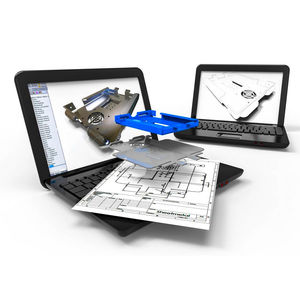
AutoCAD LT® 2D drafting and detailing software is the professional choice because we focus on boosting your productivity. A comprehensive set of 2D tools allows you to accurately and efficiently create, modify, and document your 2D drawings. Packed with powerful features, AutoCAD LT is built for drafting.
Features
The core capabilities of AutoCAD LT® 2D drafting and detailing software enable you to document and communicate your 2D drawings.
Document
AutoCAD LT delivers a comprehensive set of 2D drafting and detailing tools for documenting ideas and designs.
Collaborate
Easily and accurately share information with colleagues and clients through a variety of file and output formats.
Optimize
Optimize your work environment with a customizable user interface and efficient organization and navigation tools.
|
|
|
|
|
|
2D CAD for the mechanical design process
CoCreate Drafting is a complete 2D CAD system built on a part and assembly structure that is tuned to the specific needs of mechanical engineers and designers. Specialized features, in CoCreate Drafting, such as assembly management and parametrics expand beyond the full set of standard 2D design capabilities to provide a complete 2D CAD platform, perfect for the product development process.
Benefits
* Organize 2D design elements within a part and assembly product structure (versus layers), matching how engineers design and manufacture products
* Improve speed and accuracy as you create and modify with visual snap points, lines, and handles
* Dimension design features, manually or automatically, on parts and assemblies using international standards including ISO, DIN, JIS, and ANSI
* Compare different revisions of drawings, clearly highlighting additions, deletions, and modifications
* Customize to fit company-specific needs and automate 2D development processes
* Import and export Autodesk DWG and DXF and 2D IGES formats
|
|
WinVector: CAD-drawings done professionally
The powerful 2D CAD is now even suited for simple 3D tasks
WinVector has extensive CAD features and is nonetheless a very comprehensible tool, so that even frequent users can handle it very well. All functions can be accessed quickly by mouse or keyboard shortcuts. Simultaneously you can open multiple drawings and detail-view windows. The intuitive software design and intelligible Help feature make you a professional WinVector user in no time.
|
|
|
|
|
|
VISI Blank is an integrated solution for the development of 2D blank shapes from complex 3D models. It is particularly useful in the generation of blank forms for the sheet metal, progressive die, press tooling and crash tooling industries. VISI Blank benefits from seamless integration with the acclaimed VISI Modelling software, using the industry standard Parasolid kernel combined with Vero's proprietary surface modeling and 2D design technology.
VISI Blank is designed for estimators, engineers, sheet metal product designers and tool and die makers to optimise the development of sheet metal components and provide valuable analysis of material behaviour during the forming process. For the estimator a quick blank representation can be achieved in minutes to highlight potential manufacturing problems, determine material costs and to streamline the production process. The designer can benefit from the quick analysis provided by VISI Blank to determine areas of a component design which may need to be modified to provide lower manufacturing costs. For the toolmaker, the application is invaluable for identifying areas of a component that will require to be drawn as opposed to multiple forming operations.
|
|
This module enables you to:
... handle 2D geometries from other CAD-Systems
... model using local 2D-CAD-Functions
... multiple language support
Important functions of this module:
Add: line, arc, area, spline
Move: turn, transform, duplicate, mirror, scale
Trim: limit, break, change
Dragging: translate, rotate
Corner: round, champfer
Clean: automatic contour-cleaning
Design: colours, marks, text
Dimension: automatic, interactive
Information: element, distance, angle, gravity
Delete: element, group, box, poly
Models: load, save, add, delete
View: window, zoom, transform
|
|
|
|
|
|
MicroStation PowerDraft is a professional-level application used for production 2D/3D drafting and detailing. PowerDraft provides an intuitive interface for creating, editing, and manipulating drawings and models in DGN or DWG format and is completely integrated with all Bentley solutions.
Because PowerDraft and MicroStation are based on the same code base, they share many of the same features and functions, including MicroStation's full suite of referencing, dimensioning, text, and drawing tools.
PowerDraft maximizes your production drafting functionality:
Data Interoperability - Native support for DGN and DWG files allows you to focus on creating and using your design data rather than on deliverable file formats, data exchange, and file translations.
Change Management - Track the evolution of each DGN file using PowerDraft's robust design history capability. Combined with digital rights and digital signatures, you can monitor progress and add security and accountability to your projects.
Workflow Support - PowerDraft integrates seamlessly with your organizational processes and is the perfect complement to existing MicroStation workflows.
Extensibility - Flexible programming support makes PowerDraft highly adaptable to your business needs and requirements.
|
|
Software of Design Manufacture Computer-assisted
Galaad
Mayca
Rhinoceros
Deskproto
|
|
KeyCreator (formerly CADKEY), is widely recognized as the world's most flexible and easiest to use CAD/CAM software. KeyCreator continues to build on the heritage of CADKEY by combining the latest in geometry-based design and modeling technology with legendary versatility, ease of use and flexibility.
KeyCreator brings together the widest set of CAD/CAM capabilities for design engineers to tackle the widest range of modeling challenges.
- Multidimensional design and drafting
- Cost-effective translation of the most popular CAD/CAM applications
- NC programming capabilities.
KeyCreator's rapidly expanding product line features our unique geometry-based foundation for:
- Fast, easy surface, solids and wireframe modeling modification and editing functionality.
- Localized feature editing and sophisticated deformation techniques.
- Full design functionality for tooling, complex machinery and fixtures and optional NC capabilities.
|
|
|
|
|
|
TopSolid'Design is a fully integrated and associative CAD software enabling the operator to draft and design products more efficiently. Kinematics, structural calculation, sheet metal processing and mechanical components form an integral part of the software and improve efficiency in the design process
CAD solution for all mechanical manufacturers
- Easy communication with customers
- Shorter lead times (calculation, kinematics, dynamics)
- Modeling of different part types
- Easy management of assemblies containing thousands of parts
- Industry-specific design functions: tool design, sheet metal processing, piping, wood and plastics processing, etc.
- Comprehensive management of technical data
- Transmission of data to the ERP solution
Data retrieval
- Interfaces : IGES, DXF, Catia, STEP, SAT
- Automatic and manual cleaning
Product development
- Kinematics, dynamics
- Structural computation (CETIM's TopSolid'Castor)
Parametric modeling
- Powerful functions for surface modeling
- Solid modeler Parasolid
- Optimization of shapes
- Industry specific mechanical features
Components
- All standards (AFNOR, ANSI, DIN, ISO...)
- Associated machining operations
- Supplier components
Large assemblies
- Top-down and bottom-up assemblies
- Several thousand parts
- Model simplification and part detail levels
Drawings and parts lists (BOMs)
- Associative to 3D models
- Comprehensive labeling functions, tolerances, symbols
- Parts lists, customized title blocks
Integrated project management
- "Where-used" list
- Technical database
Output
- Exploded views, notes
- Animations, integrated VCR
Integrated CAD/CAM solution
- Sheet metal processing (Topsolid'Punch, TopSolid'Cut)
- Wood processing (TopSolid'Wood)
- Machining (TopSolid'Mold, TopSolid'Cam, TopSolid'Wire)
The following options are available, in addition to the standard TopSolid'Design functions, under the umbrella name TopSolid'Pro:
- TopSolid'Fold
- Standardized component library
- Kinematics
- Piping
- Conception of assembly/disassembly sequences
|
|
hyperCAD® a flexible and versatile CAD system for the construction and working on 2D and 3D-Modellen are expressed. It has a set of High end functions, which simplify complex procedures in particular. So models and their variations can be developed fast and efficiently. A change is possible between the 2D and 3D-Welt.
Most important capability characteristics:
- Simple one, control surface user-friendly
- Intelligent functions such as SMART OBJECTS or GLOBAL SHAPE MODELING, which automate routine tasks
- Simultaneous working with circling, volume and surface data in an environment
- Flexible transition from Solids to surfaces
- Providing 3D-Modellen on basis of 2D-Zeichnungen
- Generation of 2D-Zeichnungen from 3D-Modellen
- Data import and export functions
- Integrated partial library
|
|
|
|
|
|
Design and shape the world around you with the powerful, flexible features found in AutoCAD® design and documentation software, one of the world's leading 2D and 3D CAD tools. Speed documentation, share ideas seamlessly, and explore ideas more intuitively in 3D. With thousands of available add-ons, AutoCAD software provides the ultimate in flexibility, customized for your specific needs. It's time to take design further. It's time for AutoCAD.
Features
Design and shape the world around you with AutoCAD® design and documentation software, one of the world's leading CAD programs. Speed documentation, share ideas seamlessly, explore ideas more intuitively in 3D, and customize it for your specific needs. It's time to take design further.
Document
Create your designs more intuitively, more efficiently, and faster than ever before.
Communicate
Present and share your designs more seamlessly, more accurately, and more powerfully.
Explore
Now you can turn ideas, regardless of shape or size, into a 3D CAD model to help take your designs further.
Customize
Make AutoCAD software work for you in ways you never thought possible.
AutoCAD 2010: More Power, More Innovation
With AutoCAD® 2010 computer-aided design software, you can tackle your most challenging problems with ease. Create almost any shape imaginable with free-form design tools, cut revision time and keep everything connected with parametric drawing, share your ideas as PDF, or bring them to life with 3D printing. Nothing takes you from idea to reality faster.
|
|
|
|
|
|
The Autodesk® Inventor® product line provides a comprehensive and flexible set of software for 3D mechanical design, product simulation, tooling creation, and design communication that help you cost-effectively take advantage of a Digital Prototyping workflow to design and build better products in less time.
Autodesk Inventor software creates a single digital model that gives engineers the ability to design, visualize, and simulate their products. Inventor enables you to create a digital prototype, helping you to reduce reliance on costly physical prototypes and get more innovative designs to market faster.
Autodesk Inventor software is only available through the AutoCAD® Inventor® Suite product line.
Features
Autodesk® Inventor® software is the foundation for Digital Prototyping, producing an accurate 3D model that validates the form, fit, and function of a design before it is built.
Cost-effective and easy to learn, the Autodesk Inventor product line provides a flexible set of software for 3D mechanical design, product simulation, design communication, routed systems and mold design.
Inventor is only available through the AutoCAD® Inventor® Suite product line. All AutoCAD Inventor Suite bundles include the latest version of AutoCAD® Mechanical design software.
What's New
The Autodesk Inventor 2010 product line has many new features, including plastic parts functionality and enhanced data exchange, simulation, and interoperability. Learn more about what's new in Autodesk Inventor.
|
|
|
|
|
|
Lightweight, flexible and explicit
CoCreate Modeling, the world's #1 explicit 3D CAD software system, is a complete environment for 3D product design with a broad set of integrated design modules that add extra capabilities to meet your specialized needs.
The explicit approach inside CoCreate Modeling makes creating and modifying 3D designs fast, easy and flexible. CoCreate Modeling is packed with an extensive list of features to deliver the speed, flexibility and responsiveness to change that’s demanded by leaders in the high-tech electronics and machinery industries.
For more information about 3D product data management in the CoCreate product family, please visit the CoCreate Model Manager product Web page.
Benefits
* Achieve faster design cycles by leveraging the strengths of an explicit approach to 3D CAD CAM product development
* Learn the easiest approach to 3D modeling with design creation and modification that follows familiar Microsoft Windows “copy-and-paste” and “drag-and-drop” actions
* Drive 3D product design through on-the-fly interactions with geometry and feature recognition
* Confront unpredictable or radical design change with flexibility
* Work with multi-source CAD data as easily as if you created it yourself
* Eliminate resource bottlenecks by giving everyone the flexibility to quickly pick up existing designs and carry them forward
|
|
|
HiCAD next is the only CAD system in the world offering true 2-D/3-D associativity. State-of-the-art working techniques and automatisms help you minimise routine tasks, simulation and analysis tools enable you to detect and prevent collisions in your product models. By this means, product quality can be improved and product development costs will be reduced.
|
|
Kubotek USA delivers today’s most cost-effective CAD/CAM solutions for companies and professionals who need freedom to design and adaptability for manufacture. Our customers claim that Kubotek technology provides a competitive edge to help win new business and bring innovative products to market faster in today’s rapidly changing global market.
|
|
|
|
|
|
Want to get your hands on best-of-class 3D design?
thinkdesign streamlines product development for mid-size manufacturers
"Highly recommended" by Cadalyst Magazine, thinkdesign® streamlines product development for small to mid-sized manufacturers (SMMs). Unlike other MCAD products, thinkdesign has been designed from the ground up. Working closely with our customers we've developed -in a single package- the efficiency of 2D AND the power and precision of 3D. With think3 technology users can easily switch to 3D, without losing even one hour of work! Compare our features and benefits. thinkdesign capabilities include:
2D/3D transparency in a single design environment. Unsurpassed interoperability between the two eliminates costly interfaces
thinkPLM foundation. Seamless integration with thinkPLM, our scalable, ready-to-use PLM solution
Advanced AutoCAD compatibility. Users can import 2D AutoCAD drawings into thinkdesign, modify and reuse those drawings as if they were native
Robust part modeling, advanced design tools and UI. Users can design any conceivable part in a single, easy-to-use design environment. Drawings can be created automatically from 3D models
Design flexibility for manufacturable sheet metal parts. Sheet Metal parts can be created from scratch or from existing parts, including IGES and STEP
Smart objects. Store engineering knowledge into the system, for faster adoption and higher quality in 3D modeling
Advanced large assembly capabilities. Users quickly navigate with Light Representations of components and Visual Bookmarks; Symbolic References enable any replacement of components, preserving assembly integrity
|
|
MarbaCAD
The MarbaCAD System has been developed by specialists from the packaging industry to reach the highest degree of operating facility.
|
|
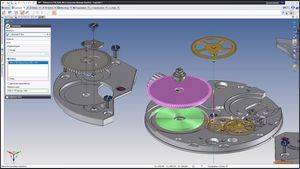
Create interactive product documentation, animation, technical illustrations and more by reusing digital product definition data including 3D design data and bills-of-material information, 3DVIA Composer revolutionizes the product documentation process for enterprises of all sizes.
With its easy-to-use, desktop content-creation system, 3DVIA Composer effectively automates processes that are crucial for success in the marketplace.
Before 3DVIA Composer, the deliverable production process was a costly, error-prone process which had to be repeated, usually from the start, for any product change.
Now, by using 3DVIA Composer, enterprises can quickly and easily automate their deliverable production processes while reducing costs and improving quality. 3DVIA Composer allows production of product documentation to be concurrent with the design of the product.
|
|
|
Create stunning 3D in less time with Autodesk® 3ds® Max software. This full-featured 3D modeling, animation, rendering, and effects solution is used to produce top-selling games and award-winning film and video content. Those looking to quickly and efficiently generate convincing characters, seamless CG effects, or jaw-dropping games will want to explore this latest release of the software.
|
|
Virtual Reality Toolbox 4.6
Animate and visualize Simulink systems in three dimensions
The Virtual Reality Toolbox lets you view and interact with dynamic system simulations in a 3-D virtual reality environment. The toolbox links MATLAB and Simulink with virtual reality graphics, enabling MATLAB or Simulink to control the position, rotation, and dimensions of the 3-D images defined in the virtual reality environment. The result is a presentation-quality 3-D animation.
Through visualization, the Virtual Reality Toolbox provides insight into the dynamic systems that you model in Simulink. You can use these viewing capabilities in automotive, aerospace, communication, biological, and mechanical applications.
|
|
Capture, edit, and deliver video online, on air, on disc, or on device
Tell your story with maximum impact using Adobe® Premiere® Pro CS4 software, the start-to-finish video production solution that includes Adobe OnLocation™ CS4 and Encore® CS4 software.
|
|
|
|
|
|
SURFCAM Velocity Mold Making
Among other features, SURFCAM Velocity offers: TrueMill® High Speed Roughing, Advanced Finishing, and Toolpath Control
TrueMill
truemill toolpath TrueMill is a patented toolpath engine that has redefined high speed machining. It is the only toolpath that intelligently manages tool load. Critical spikes and sudden changes in tool load that cause cutters to break are eliminated.
TrueMill increases profits by maximizing Volume Removal Rates with your existing hardware, while extending cutting tool life and lowering machine maintenance costs.
4/5 Axis
view machining Complete suite of finishing options including 3D Offset, ZFinish, Steep Shallow, Flat Surface, and more.
Lights-out finishing facilitated by the preceding TrueMill operation. Result: Optimally pre-finished parts with uniform amounts of material on all faces.
Function Specific
truemill toolpath Greatly enhanced toolpath containment provides precise control over what needs to be machined and what must be avoided.
Re-machining repaired areas, corner picking, and avoiding clamps and fixtures are just a few of the beneftis.
|
|
|
|
|
|
Radan Design to Manufacture (DTM) Transfer is a handy utility that simplifies the transfer of both 2D & 3D data from third party CAD packages to Radan manufacturing systems.
Operating on the CAD workstation, DTM Transfer extracts both 2D & 3D data from any open model and seamlessly transfers it into Radan – either directly, or via a file. Files saved from DTM Transfer can be emailed or copied as normal, making transfer to other workstations or organisations as simple as possible.
DTM Transfer is available to Radan users and other organisations using compatible CAD packages, who need to transfer data to Radan manufacturing systems. DTM extracts both 2D and 3D data from the CAD system. The 2D data may be read by all Radan systems and the 3D data by systems incorporating Radan 3D.
DTM is able to transfer from the following CAD packages to Radan:
* Autodesk Inventor (4 & later, but with some restrictions in Inventor 4)
* Solidworks (2001 & later)
* Mechanical Desktop (4 & later)
* AutoCAD (R2000 & later)
* TopSolid (6.5)
* Solid Edge
|
|
|
DigiWin is based on many years of experience in model making and design work. It was created specifically for digitising, milling and marking assignments. DigiWin greatly simplifies the typical working procedure when recording and processing model data with a coordinate measuring machine. The scope of DigiWin functions ensures that point and cut data is rapidly recorded and that such data can be exported to, or imported from, CAD/CAM systems.
|
|
Bentley Microstation V8 XM, the most powerful, most accessible and most interoperable CAD platform for the design, construction and operation of the world-s infrastructure.
Find out why MicroStation is used to integrate Bentley's comprehensive software portfolio of vertical point solutions!
For Building, Civil, GIS and Plant professionals.
|
|
|
|
|
|
GenerativeComponents is an associative parametric modeling system used by architects and engineers to automate design processes and accelerate design iterations.
As an Innovation by MicroStation, GenerativeComponents extends proven technologies and delivers significant advantage to users as they rapidly explore a broad range of design alternatives.
With a hybrid approach, designers who use GenerativeComponents can model geometry, capture relationships, and generate forms using scripts and/or direct manipulation for unrivalled creative flexibility.
This combination of accelerated iteration, flexible modeling, and automated process, means that a GenerativeComponents design can be highly efficient, benefiting from a combination of intuition and logic.
A free trial of GenerativeComponents is available for a limited time.
See informative and inspiring presentations on design and methodology using GenerativeComponents that were delivered during the SmartGeometry 2007 Winter Conference.
Now available through the Bentley Institute: OnDemand eLearning for GenerativeComponents.
Read more about this Innovation by MicroStation in the following downloadable PDF files.
|
|
3D Mechanical Design Solutions
Develop more accurate and reliable product designs through the unmatched 2D and 3D capabilities of SolidWorks mechanical design solutions.
Design Validation
Optimize product designs by using SolidWorks analysis tools to simulate real-world conditions and test multiple "what if" scenarios.
Data Management Solutions
Avoid errors with essential file access and revision controls enabled by SolidWorks product data management (PDM) solutions.
Design Communication and Collaboration Tools
Share product design information and collaborate more effectively via the Internet using innovative SolidWorks design communication and collaboration tools.
CAD Productivity Enhancement Tools
Enhance efficiency with SolidWorks CAD productivity tools that simplify frequently performed design tasks.
3D Online Catalog Solutions
Market standard and customized components to product designers through innovative SolidWorks online catalog solutions.
|
|
|
Alibre Design Xpress is a rich and capable 3D solid modeler for creating mechanical parts, assemblies and 2D drawings - and is free. Certain more elegant features, like 3D sketching and part Booleans, can be found in the paid versions of the Alibre Design product family. Alibre Design Xpress equips the person needing basic 3D design capabilities.
|
|
|
EdgeCAM Part Modeler provides users with a modeling tool specifically for simple part construction, manufacturing modifications, and fixture building.
|
|
|
|
|
|
Motor-CAD is a unique software package for exploring the thermal design of electric motors and generators. Motor-CAD has incorporated revolutionary lumped-parameter technology to simulate either the Steady State or the Transient thermal response of a machine.
Simulations require the 3D geometry description of each component within the machine, the physical material properties of the components, the losses or sources or heat and any desired cooling configurations. All of these items can be easily entered in the Motor-CAD interface via the various tab delineations and the associated text fields. During a given simulation, Motor-CAD considers each component a separate entity, scrutinizes the thermal nature of the component [including heat transfer coefficients] and generates a lumped-parameter equivalent circuit. Once each component is carefully evaluated, the machine is reconstructed by combining each component's circuit into a full electrical system. The thermal nature of the machine is then uncovered by solving the electrical system.
|
|
|
|