

- Metrology - Laboratory
- Metrology and Test Equipment
- Phase tester
- Wuhan UHV Power Technology Co.,Ltd.


- Products
- Catalogs
- News & Trends
- Exhibitions
On-Load Tap-Changer (OLTC) tester UHV-4000resistanceelectricphase


Add to favorites
Compare this product
Characteristics
- Test type
- resistance, electric, phase
- Tested product
- for transformers, On-Load Tap-Changer (OLTC)
- Applications
- diagnostic, for power systems, for substations
- Configuration
- portable
- Other characteristics
- with LCD screen, USB, with memory, with data acquisition system, multi-channel
Description
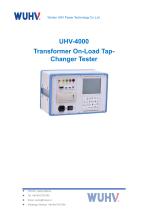
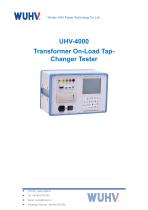
The UHV-4000 is a portable on-load tap-changer (OLTC) tester for field verification and analysis of transformer tap-changers. It measures transition waveforms, transition time, instantaneous transition resistance and three-phase synchronization, and provides clear graphical and textual results for engineering diagnostics.
Key features
Technical parameters / Specifications
Conditions of use
The precautions are as follows:
Daily inspection and cleaning
Key features
- Vertical chassis design for compact, lightweight portability and easy transport in field operations.
- 5.7" backlit LCD with wide-temperature capability for good visibility outdoors.
- Embedded PC-104 industrial control computer for high-speed data processing and local storage.
- Built-in precision constant-current source with full protection circuitry for reliable resistance measurements.
- High-speed multichannel data acquisition (6 channels) with graphical and textual result presentation.
- Integrated T9 input method for quick entry of station names, tags and symbols.
- USB flash drive support and USB data synchronization for flexible data transfer and backup.
- Tree-structured data organization (by station name, number and tap position) for efficient record management.
- Built-in panel thermal printer for immediate on-site reports.
Technical parameters / Specifications
- Output current: ≥1 A, 3 channels
- Data sampling channels: 6 channels
- Sampling frequency: 10 kHz/s
- Transition resistance measuring range: 0.5 Ω – 20 Ω
- Transition time measuring range: ≤250 ms
- Resolution — resistance: 0.01 Ω
- Resolution — time: 0.1 ms
- Measurement precision — transition resistance: ±(5% + 3 digits)
- Measurement precision — transition time: ±(0.1% + 1 digit)
- Storage: USB flash drive support; internal storage: 1 GB
- Dimensions (host): 350 mm × 230 mm × 200 mm
- Host weight: 5 kg
Conditions of use
- Ambient temperature: -10 ℃ – 50 ℃
- Ambient humidity: ≤85% RH
- Operating power supply: AC 220 V ±10%
- Power supply frequency: 50 ±1 Hz
The precautions are as follows:
- Check wiring: Before conducting the test, it is necessary to check whether the wiring of the test line is correct and error free, ensure a stable connection, and avoid test result deviation or equipment damage caused by wiring errors.
- Preheat the instrument: Please connect the power before turning on and preheat the instrument for 3 minutes. Preheating is to ensure that the internal temperature of the instrument meets the testing requirements and prevent temperature fluctuations from affecting the testing accuracy.
- Handling misoperation: In the process of instrument operation, if there is a misoperation or incorrect startup, the test should be terminated immediately by pressing the "reset" button. After checking and adjusting the equipment status, retesting can be carried out to avoid unreliable test results caused by equipment abnormalities.
- Avoid power outage: When the instrument is in testing mode, do not turn off the power or disconnect the power supply line without resetting it to prevent data loss or equipment damage inside the instrument, which may affect the accuracy and safety of subsequent testing.
- Safely replace paper: When replacing test paper, the instrument power must be turned off first to ensure equipment safety and avoid damage to the test paper or equipment failure caused by improper operation.
- Check for inactivity: When the tap changer is inactive, the instrument may start measuring misoperation, which usually indicates the presence of some problem. At this point, it is necessary to carefully inspect the equipment to eliminate the cause of the malfunction and ensure the accuracy of subsequent testing.
Daily inspection and cleaning
- Appearance inspection: Before daily use, the appearance of the tester should be checked for any damage, especially whether the screen and buttons are intact.
- Interface inspection: Check all connection ports and terminals for cleanliness, rust or dust accumulation, and wipe with a clean soft cloth if necessary.
- Internal cleaning: Regularly open the instrument casing to remove internal dust and impurities, avoiding affecting the performance of the circuit board and components.
VIDEO
Other Wuhan UHV Power Technology Co.,Ltd. products
Transformer Tester


Related Searches
- Measuring device
- Test stand
- Portable testing system
- Digital testing system
- Automatic testing system
- Automatic test stand
- Industrial testing system
- Automatic test equipment
- Voltage testing system
- Portable measuring device
- Benchtop testing system
- Industrial gauge
- Manual test kit
- Test set
- Industrial test rig
- Laboratory testing system
- Tester with LCD screen
- Installation tester
- Insulation testing system
- Industrial test equipment
*Prices are pre-tax. They exclude delivery charges and customs duties and do not include additional charges for installation or activation options. Prices are indicative only and may vary by country, with changes to the cost of raw materials and exchange rates.
About DirectIndustry
DirectIndustry is a marketplace that offers B2B players a complete experience, from product sourcing to purchase. DirectIndustry is an entity of VirtualExpo Group.
Are you a buyer?
Are you a supplier?